Herbarium Sheet Photo OCR Cleanup for Searchable Plant Specimen Records
A practical guide to photographing, cleaning, resizing, and OCR-checking herbarium sheet images so specimen labels become easier to search, cite, and review.
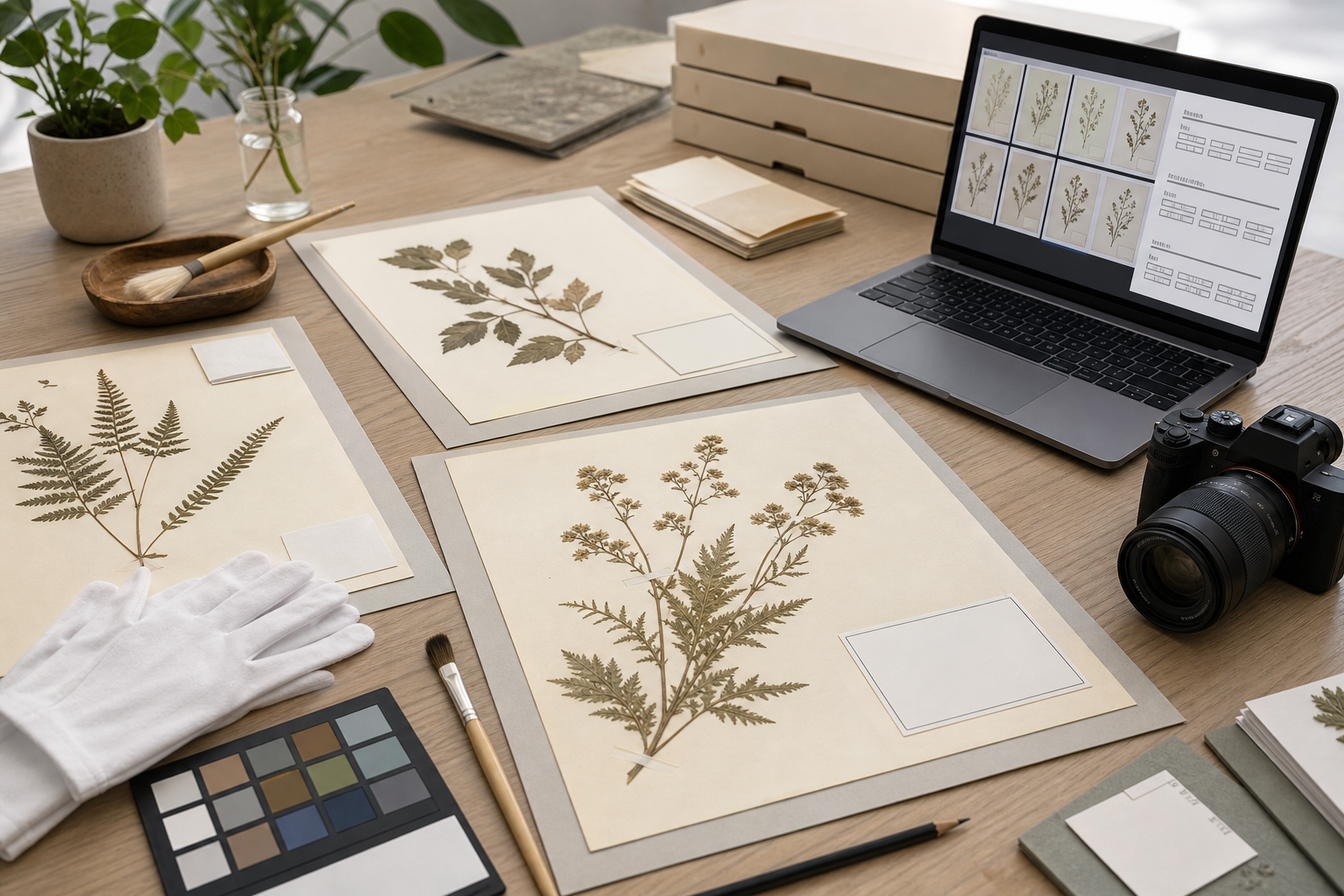
Herbarium Sheet Photo OCR Cleanup for Searchable Plant Specimen Records
Herbarium digitization is often treated like a photography project first and a data project second. That is understandable: the pressed plant specimen is the visible artifact, and a good image preserves leaf shape, flowers, mounting style, annotations, packet contents, and historical handling marks. But for many small herbaria, local history rooms, university teaching collections, and volunteer transcription projects, the label is the part that determines whether the image becomes useful. If the collector name, locality, date, accession number, habitat note, or determination slip cannot be found later, the record remains buried.
This guide focuses on a narrow but common problem: preparing herbarium sheet photos so label text can be read more reliably with OCR and reviewed by humans without losing the archival context of the sheet. It is not a replacement for formal collection management software or professional imaging standards. It is a practical field guide for teams that already have photos, mixed camera quality, volunteer contributors, or a backlog of specimen images that need to become searchable enough for cataloging, cross-checking, and research requests.
The goal is not to make every sheet look newly printed. The goal is to create a clean, consistent image set where OCR has a fair chance, reviewers can compare label text quickly, and the final files are small enough to store, share, and cite.
Why Herbarium Sheet OCR Is Unusually Difficult
A herbarium sheet is a difficult OCR target because it combines natural texture, old paper, handwriting, printed labels, stamps, accession marks, determination slips, typed locality notes, and shadows from mounted plant material. The label may be placed in a corner, partly covered by a packet, or surrounded by pencil notes. Some sheets include multiple labels from different decades, each using different typography and terminology.
General OCR tools are usually trained to prefer flat, high-contrast pages. A herbarium image is rarely just a page. It is a physical object with depth. Twigs lift from the paper. folded packets cast shadows. labels yellow at different rates. Glue marks and fragment envelopes may look like text blocks. A barcode or accession label can be sharp while the historical label is faint.
That does not mean OCR is useless. It means the image needs to be prepared with a specimen-aware checklist. The most important improvements are usually simple: straighten the sheet, avoid glare, crop with context, keep label areas sharp, preserve enough resolution, and compress only after OCR review.
Decide What Record You Are Creating
Before editing anything, decide what the cleaned file is meant to support. Different end uses call for different image choices.
| Record use | Best image priority | File handling note |
|---|---|---|
| Volunteer transcription | label readability and consistent orientation | create smaller review copies, keep originals unchanged |
| Public catalog image | full sheet context and natural color | avoid aggressive cleanup that hides condition details |
| Internal accession audit | barcode, accession number, and label clarity | crop copies can help, but preserve full-sheet files |
| Research request packet | full specimen view plus readable label | combine image copies into a PDF when sending |
| Duplicate detection | consistent scale, ruler, and file naming | avoid changing proportions during resize |
For most teams, the best answer is to keep two versions: an untouched master photo and a cleaned review copy. The master preserves the object as captured. The review copy is optimized for reading, OCR, sharing, and day-to-day catalog work.
A useful naming pattern is simple and boring: collection code, accession or barcode, view type, and version. For example: ABC_000123_full_master.jpg, ABC_000123_full_review.webp, and ABC_000123_label_ocr.png. The exact pattern matters less than consistency.
The Capture Standard: What the OCR Tool Needs From the Photo
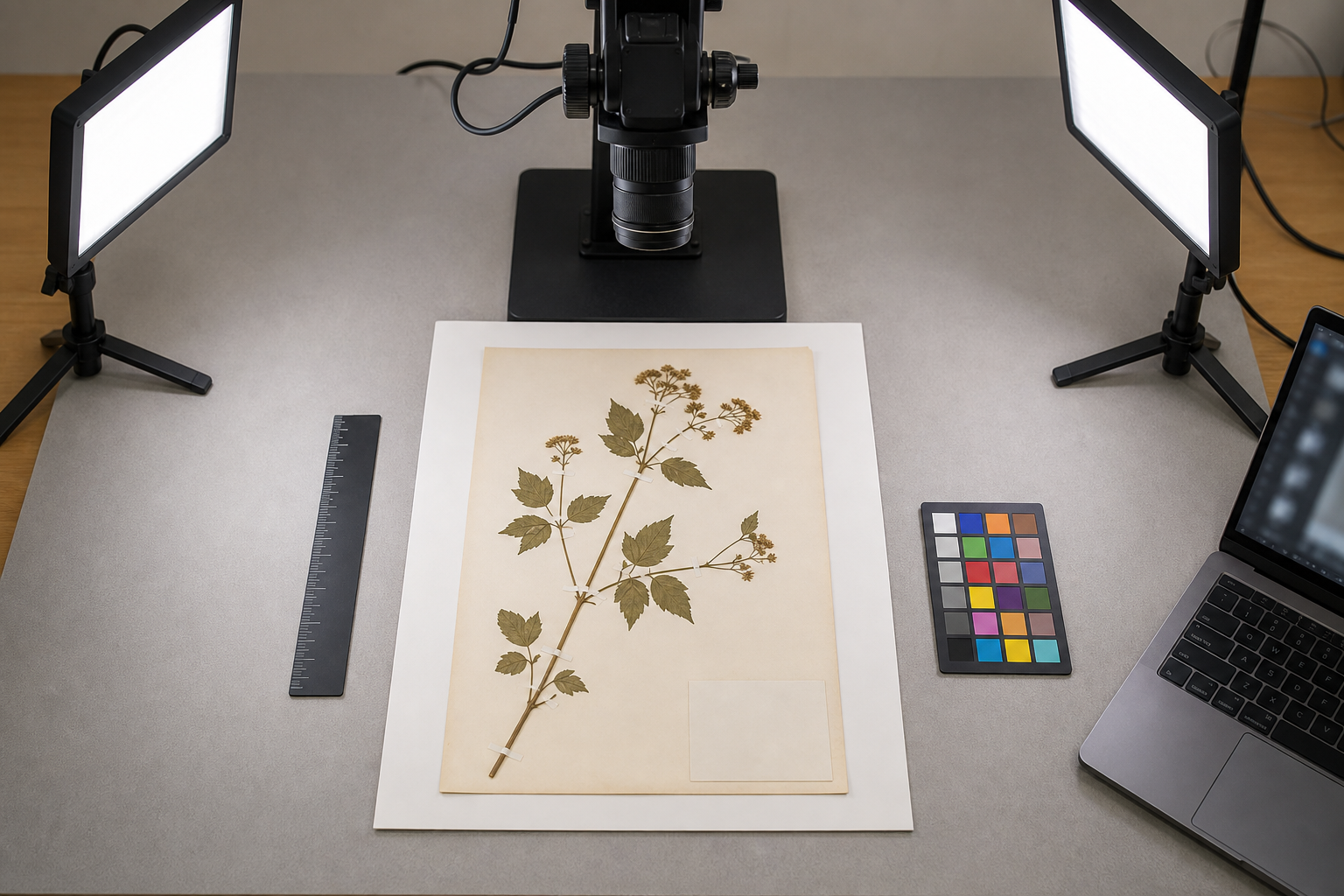
If you are still photographing sheets, the capture stage is where most OCR problems can be prevented. A phone camera can work for small projects, but it must be stable, square to the sheet, and evenly lit. A DSLR or mirrorless camera on a copy stand is better, but poor lighting can still ruin the label.
Use this capture checklist for each sheet:
- Place the sheet on a flat, neutral surface.
- Keep the camera parallel to the sheet, not angled from the side.
- Use diffused light from two sides to reduce plant shadows over labels.
- Check that the label corner is sharp before moving to the next sheet.
- Include a ruler or scale only if your catalog standard calls for it.
- Avoid glossy plastic sleeves during OCR capture when possible.
- Do not crop so tightly that annotations or determination slips disappear.
The key is that the label must be sharp at the pixel level. A full-sheet image can look fine when zoomed out, while the label text is too soft for OCR. After the first ten photos, zoom into the label at 100 percent and read the smallest printed line. If a human cannot read it comfortably, OCR will struggle.
For existing files, sort a sample into three groups: good enough, repairable, and recapture needed. Good enough images are square, sharp, and evenly lit. Repairable images may be slightly skewed, too large, too dark, or inconsistently named. Recapture candidates have motion blur, glare across the label, missing corners, or labels hidden by shadows.
A Practical Cleanup Pass Before OCR
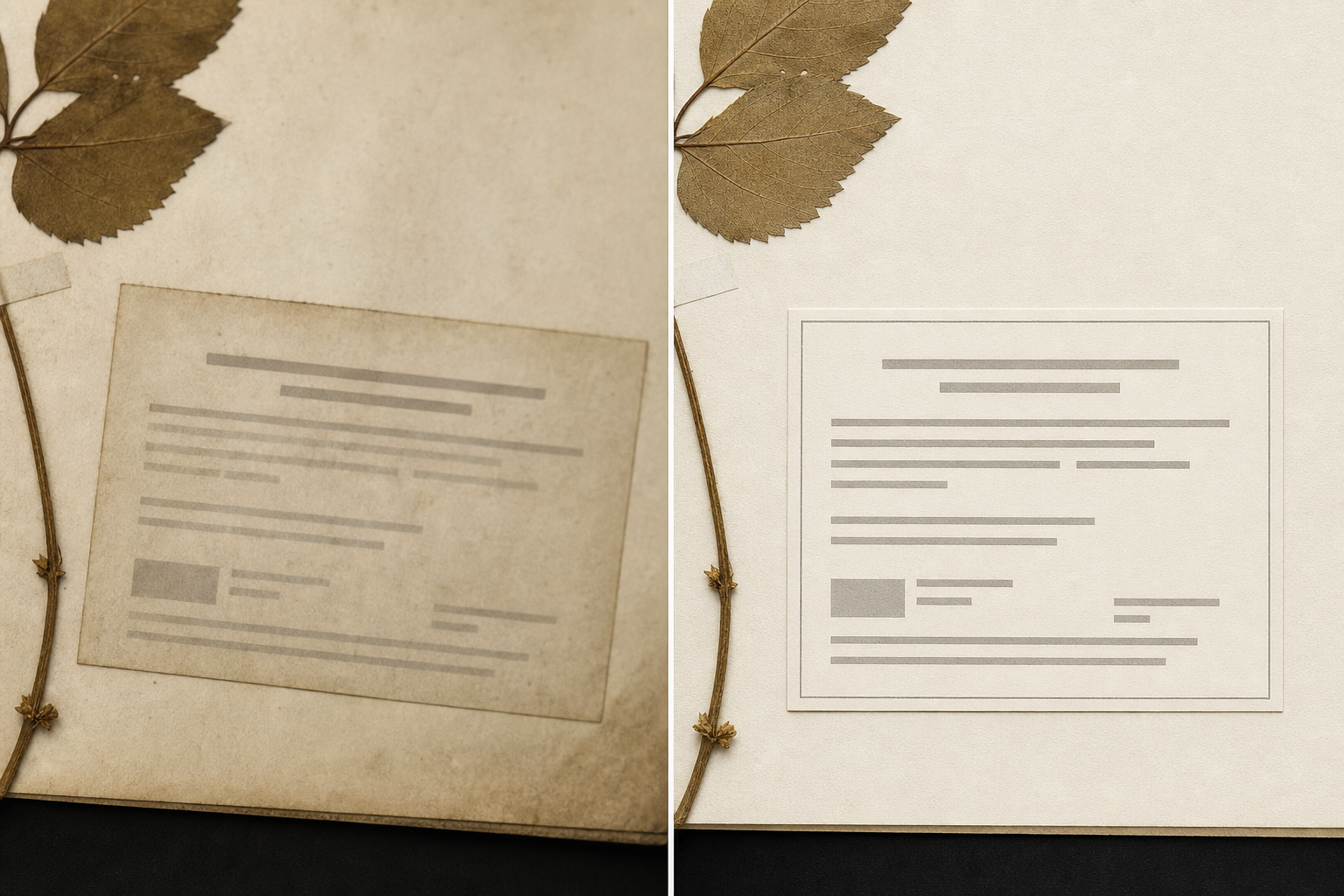
The cleanup pass should make the image easier to read without falsifying the specimen. Keep the full sheet visible unless you are deliberately creating a separate label crop for review. Do not erase stains, annotations, insect damage, glue marks, or color variation if those details may matter to curators or researchers.
A good cleanup sequence is:
- Rotate and straighten the sheet so labels and edges are level.
- Crop only the empty border outside the sheet, leaving all mounted material and notes.
- Adjust exposure gently so the label background is not gray or muddy.
- Increase contrast only enough to separate ink from paper.
- Create a label crop copy when the full-sheet file is too large for OCR review.
- Run OCR on the cleaned copy, not the archival master.
- Compare OCR text against the image before importing it into a catalog.
For label crops, choose PNG or high-quality WebP when text clarity matters. Heavy JPEG compression can create halos around letters and make faint type harder to recognize. If you need to standardize large photos before upload, use an image resizing step with a clear target. ConvertAndEdit's resize image tool can help create consistent review copies while keeping the master images untouched.
If file size becomes a problem after resizing, compress the review copies after checking a few labels at full zoom. The compress image tool is useful for making large batches easier to share, but text-heavy labels need a conservative setting. If the label edges start to look fuzzy or blocky, the compression is too strong.
Full Sheet, Label Crop, or Both?
Many herbarium teams debate whether to OCR the full sheet or crop the label first. The best answer is often both, but for different reasons.
| Image type | Strength | Weakness | Best use |
|---|---|---|---|
| Full sheet | preserves context and annotations | OCR may read plant shadows or irrelevant marks | catalog image, research review |
| Label crop | improves text detection | can separate label from specimen context | transcription and quality checking |
| Multi-label crop | captures historical labels and slips | needs careful naming | older sheets with several determinations |
| PDF packet | easy to send for review | less ideal as a primary image master | curator notes, external checking |
When a sheet has several labels, avoid making a single tight crop that only captures the newest label. Older locality notes, collector names, and determination slips may be the most valuable text on the sheet. A better approach is to keep the full sheet and create numbered label crops: label_01_main, label_02_determination, label_03_annotation.
You can use ConvertAndEdit's image OCR tool on cleaned label crops or full-sheet images when you need a fast text extraction pass. Treat the result as a draft. Botanical names, place names, collector abbreviations, and historical county names are easy for OCR to misread.
OCR Review: What to Check Before Trusting the Text
OCR output from herbarium labels should be reviewed like a data entry draft, not like a finished record. The most common errors are predictable, so reviewers can check them quickly.
Watch for these issues:
I,l, and1substitutions in accession numbers and names.0andOsubstitutions in collector numbers.- Abbreviated months misread as names or locations.
- Old typewriter letters mistaken for punctuation.
- Scientific names split across lines incorrectly.
- Coordinates, elevation, and dates merged into one string.
- Stamps and barcodes inserted into the middle of locality text.
- Handwritten determination slips ignored entirely.
A good review screen shows the image and OCR text side by side. If that is not available, keep a consistent habit: open the image, zoom to the label, then compare the OCR line by line. For small teams, a spreadsheet with columns for accession number, OCR text, reviewer correction, uncertainty, and notes is often enough.
Use a simple uncertainty mark rather than guessing. For example, add [unclear] where a word cannot be confidently read. That is better than silently importing an invented locality or collector name.
File Format Choices for Specimen Review Copies
The right format depends on what the next person needs to do with the file.
| Format | Use it when | Avoid it when |
|---|---|---|
| JPEG | photos are large and storage is limited | label text is faint or repeated editing is expected |
| PNG | label crops need crisp text | full-sheet files become too large |
| WebP | you need small review files with good visual quality | the receiving system does not support it |
| sending packets for review or signoff | you need editable image masters |
If your files arrive in several formats, standardize review copies before OCR. The convert image tool can help turn mixed uploads into a predictable format for the team. Keep format conversion separate from curatorial interpretation. A conversion step should change the container, not the meaning of the image.
For packets that need to travel by email or be attached to a ticket, combine images into a compact document with image to PDF. This is especially helpful for a research request where a curator wants to send the full sheet, label crop, and OCR text check together. The PDF is a communication copy, not a replacement for the original image files.
Naming and Folder Structure That Prevents Later Confusion
Many digitization problems are not caused by cameras or OCR. They are caused by folders full of files named IMG_4821.jpg, new_scan_final.png, or plant label fixed copy 2.jpg. Once files are separated from the sheet, confusion spreads quickly.
Use a plain structure that mirrors the collection:
herbarium-digitization/
  masters/
    ABC_000123_full_master.jpg
  review-images/
    ABC_000123_full_review.webp
    ABC_000123_label_01_review.png
  ocr-text/
    ABC_000123_label_01_ocr.txt
  pdf-packets/
    ABC_000123_review_packet.pdf
The important rule is that each derivative file points back to the same specimen ID. Avoid relying on folder position alone. Files get copied, emailed, uploaded, and renamed. The specimen identifier should travel with the file.
If a sheet lacks a barcode or accession number, create a temporary project ID and record the mapping. Do not wait until the end of the project to solve identity. OCR review is much easier when every image already has a stable reference.
When AI Editing Helps and When It Can Harm
AI image editing can help with presentation copies, especially when a label image has distracting shadows, uneven color, or a damaged background around the text. It can also harm archival reliability if it changes marks, removes handwritten notes, invents missing characters, or makes a sheet look cleaner than it is.
Use AI editing only on derivative review files, and use it with narrow intent. For example, it is reasonable to ask for a cleaner background around a label crop or reduced shadow on a communication copy. It is not reasonable to reconstruct a missing collector name or remove stains from a preservation record.
ConvertAndEdit's AI photo editor can be useful for non-destructive presentation edits, but the safe practice is to keep the original and clearly label any edited copy. Curatorial data should come from visible evidence, not from an image model's guess.
A simple rule works well: if the edit changes readability by improving lighting or contrast, it may be acceptable for review. If the edit changes content, shape, marks, or apparent condition, keep it out of the record set.
Quality Control Checklist for a Small Herbarium Batch
Before processing hundreds of images, run a pilot batch of twenty sheets. Include easy labels, faint labels, handwritten notes, crowded sheets, modern barcodes, and older paper. The pilot will reveal whether your capture and cleanup settings are good enough.
Use this checklist before scaling up:
- Every file has a stable specimen ID in the filename.
- Master images are stored separately from edited review copies.
- Full-sheet images show all labels, slips, packets, and annotations.
- Label crops are named in a way that preserves their relationship to the sheet.
- OCR text has been reviewed by a human before import.
- Compression has been checked at 100 percent zoom on faint labels.
- Any AI-edited copies are clearly marked as edited derivatives.
- PDF packets are treated as sharing copies, not as primary masters.
- Unclear readings are flagged instead of guessed.
- A small sample has been checked by someone familiar with botanical labels.
For a batch with mixed quality, do not force every sheet through the same settings. Separate normal sheets from difficult sheets. Faint typewriter labels, glossy sleeves, and curled paper often need individual attention.
Example: Turning a Backlog Into Searchable Review Files
Imagine a teaching herbarium has 1,200 sheet photos taken over several years. Some were captured with a copy stand, others with phones during class projects. The team wants searchable labels for internal use and cleaner images for student review.
A practical plan would look like this:
- Copy all original images into a master folder and make it read-only for the project team.
- Rename files using the collection code and visible barcode or temporary ID.
- Sort images into good, repairable, and recapture needed groups.
- Create review-size copies from the good and repairable groups.
- Make label crops for sheets where the full label is small or faint.
- Run OCR on label crops first, then full sheets only when needed.
- Review OCR text against the image and flag uncertain readings.
- Export PDF packets for the sheets that need curator decisions.
This keeps momentum without pretending every image is equal. The easy 70 percent can become searchable while the difficult 30 percent receives closer review or recapture.
Final Pass Before Publishing or Sharing
The final pass is where you protect the collection from small errors that become permanent. Open a random sample of finished records and ask three questions: Can I identify the specimen? Can I read the label? Can I trace every derivative file back to the master?
If the answer is yes, the image set is probably useful. If not, fix the structure before adding more files. Searchable specimen records depend on boring consistency: stable IDs, clear copies, conservative edits, and honest uncertainty notes.
Herbarium images do not need to be perfect to become valuable. They need to be trustworthy enough that a future curator, student, or researcher can understand what was captured, what was edited, what was extracted, and where to look when the OCR text is doubtful. A clean image preparation system turns scattered sheet photos into records that can actually be found, reviewed, and improved over time.