Utility Meter Display Photo OCR: A Field Guide for Reliable Reading Records
Learn how to photograph, clean, verify, and archive utility meter displays so OCR results remain dependable across inspections, property handovers, and field reports.
Utility Meter Display Photo OCR: A Field Guide for Reliable Reading Records
A utility meter photograph can look perfectly adequate on a phone and still produce an unreliable OCR result. Reflective covers hide segments, automatic sharpening invents edges, perspective distorts narrow digits, and a single patch of sunlight can turn an 8 into a 3. The risk becomes greater when the photograph is later used in a property handover, energy audit, maintenance visit, billing query, or insurance file.
The goal is therefore not merely to obtain a readable number. A dependable meter record should show what was measured, which device supplied the reading, when and where the photograph was taken, and whether the extracted value was checked by a person.
This field guide presents a practical system for photographing utility meters, preparing their images for OCR, validating uncertain readings, and packaging the evidence without specialized inspection software. It applies to common electricity, gas, water, heat, and submeter displays, including mechanical counters and segmented LCD screens.
Why Meter Displays Are Difficult OCR Targets
Meter displays combine several features that ordinary document OCR handles poorly. They are small relative to the full photograph, often protected by scratched plastic, and surrounded by serial numbers, certification marks, barcodes, warning labels, and unit symbols. An OCR engine may extract all of those elements without knowing which number is the actual reading.
The display technology introduces further ambiguity:
- Mechanical drums may sit between two digits during a transition.
- Seven-segment LCD characters can lose a segment because of glare or viewing angle.
- Smart meters may alternate between several registers every few seconds.
- Decimal digits may be colored, boxed, or separated by a faint point.
- Water meters can combine a main counter with small rotating dials.
- Backlit displays may flicker in smartphone photographs because of electronic shutter timing.
These are not cosmetic problems. If one segment disappears, 8 may become 6, 9, 3, or 0. If OCR includes a decimal digit as a whole unit, the recorded consumption can be wrong by a factor of ten.
Treat OCR as an assistant that accelerates transcription, not as the final authority. The photograph remains the evidence, while the extracted text is a searchable and editable interpretation.
Define the Record Before Taking Photographs
Before approaching the meter, decide what the finished record must prove. A landlord documenting a tenant handover needs different context from a technician checking twenty submeters in a plant room.
At minimum, define these fields:
| Field | Purpose | Typical source |
|---|---|---|
| Site or unit | Connects the reading to a location | Job sheet or property record |
| Meter type | Prevents confusion between gas, water, and electricity | Visual inspection |
| Meter identifier | Links the reading to one physical device | Serial number or asset label |
| Register | Identifies which screen or tariff was recorded | Display code or inspection notes |
| Reading | Captures the measured value | Main counter or LCD |
| Unit | Establishes meaning and scale | kWh, m³, gallons, or another marking |
| Date and time | Places the reading in sequence | Device metadata or field log |
| Verification status | Shows whether a person checked the OCR output | Review step |
This small schema prevents a folder full of unexplained close-ups. It also helps a reviewer distinguish a current reading from a serial number that happens to contain a similar number of digits.
For high-volume visits, prepare a filename pattern in advance, such as site-unit-metertype-sequence. Do not put an unverified reading in the filename. If the OCR value later changes during review, the filename would become misleading.
Capture the Display for the Machine, Not Just the Human Eye
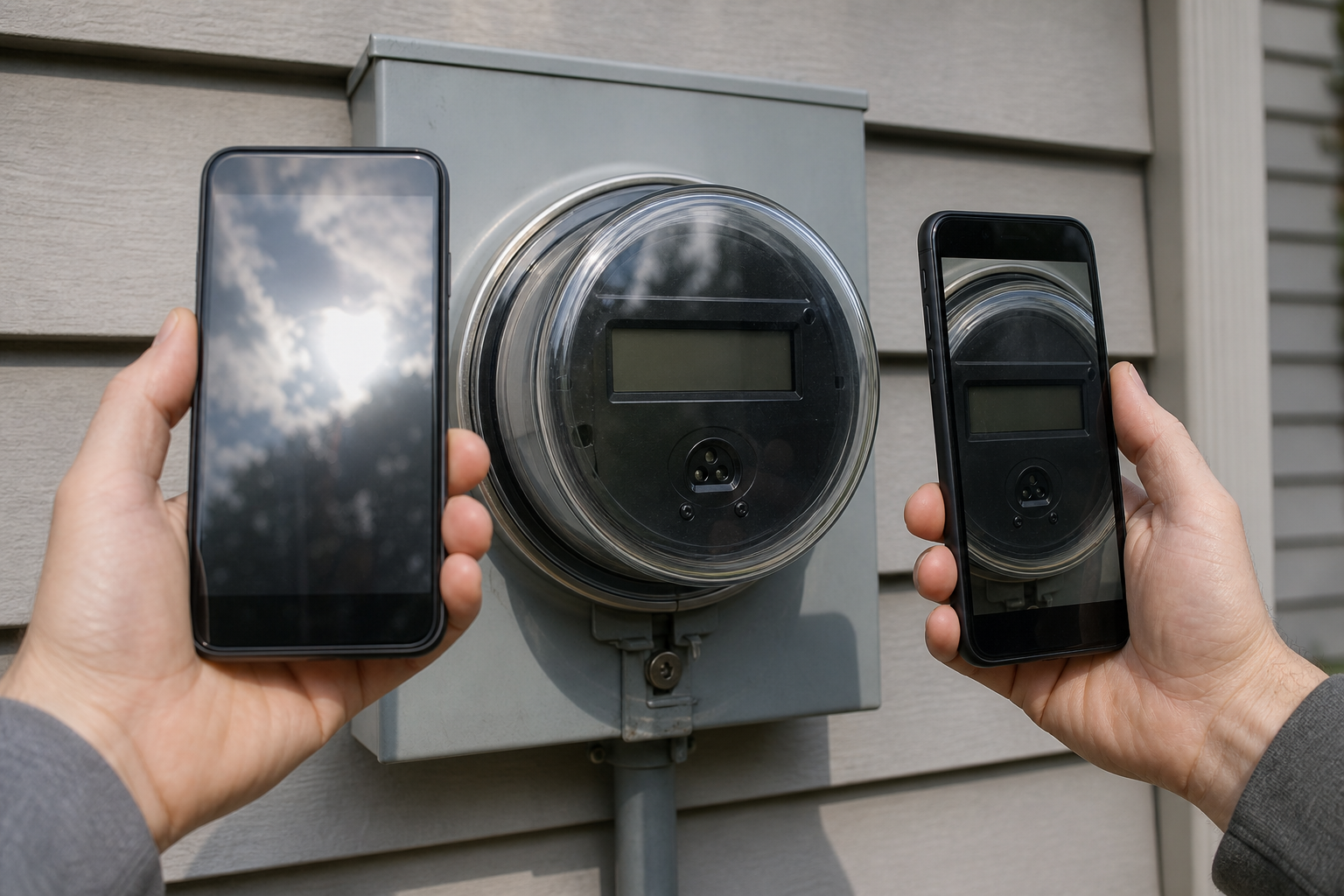
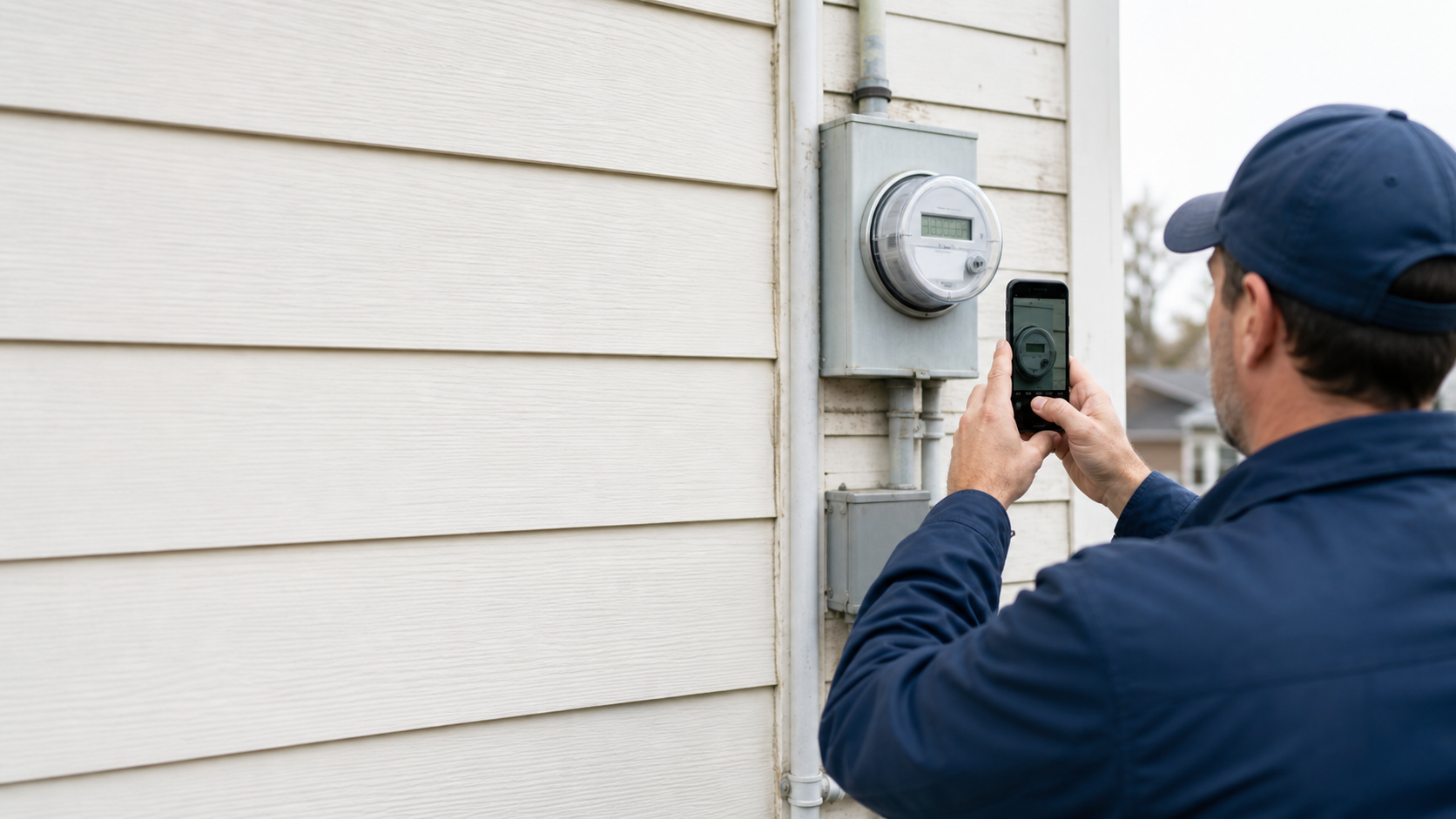
A useful capture set normally contains three images: an overview showing location, an identification image showing the whole meter and serial area, and a close display image optimized for reading. One photograph rarely performs all three jobs well.
Stabilize the Camera
Clean the phone lens before entering the site. A fingerprint can create a soft halo that is barely visible around large objects but destructive around narrow LCD segments. Hold the phone with both hands, brace an elbow against a stable surface when safe, and use the main rear camera instead of digital zoom.
Move physically closer while respecting electrical panels, hot pipes, moving equipment, and access restrictions. Never open a sealed enclosure or remove a protective cover merely to improve a photograph.
Take two or three close images rather than trusting one. Minor hand movement between frames can reveal a segment hidden by a reflection in the first image.
Control Reflections Without Blocking the Light
Start with the camera nearly parallel to the display. If your face, phone, or a bright window appears in the cover, shift a few centimeters sideways or upward while keeping the angle modest. Large angles turn rectangular digits into narrow trapezoids and can make LCD segments disappear.
Shade from direct sunlight with your body only when it can be done safely and without touching the equipment. Avoid using flash straight into a plastic window. Flash can create a white hotspot precisely over the reading. A small continuous light placed off-axis is generally easier to control in dark cupboards.
Fill the Frame but Keep a Reference Border
The close image should devote most of its pixels to the display, yet retain a small border around it. That border helps a reviewer understand whether a digit was cropped and makes perspective correction easier.
Do not crop so tightly in the camera that the decimal point, unit, tariff code, or leading zero disappears. These small elements often determine how the number should be interpreted.
Wait for the Correct Register
Smart meters may cycle through consumption, export, tariff, test, and status screens. Photograph the screen code and value together whenever possible. If the code appears on a separate screen, capture the sequence and note the order.
A burst of random screens is not enough. Record which register the assignment requires. For example, a solar installation may show both imported and exported energy, and confusing them can reverse the meaning of the record.
Select the Best Frame Before Editing
Editing cannot reliably recreate a missing LCD segment. Begin by comparing the original frames at full size.
Reject a frame if:
- Glare touches any part of a digit.
- The focus sits on scratches in the cover rather than the display.
- Motion blur joins neighboring segments.
- The display changed while the image was captured.
- The decimal point or unit falls outside the frame.
- Reflections create shapes that resemble characters.
Choose the frame with complete character shapes, even if another image looks brighter or more dramatic. Keep at least one alternate frame when a reading is important. The alternate can resolve uncertainty without another site visit.
Prepare a Separate OCR Copy
Preserve the original photograph unchanged. Make edits on a derivative copy so that later reviewers can compare the processed image against the source.
Crop Around the Relevant Display
Remove most surrounding labels before OCR. This reduces competition from serial numbers, model codes, barcodes, and safety markings. A disciplined crop is often more effective than aggressive filtering.
Retain the full display boundary and any nearby register code or unit. If the meter has several distinct number areas, create separate crops and label their roles in the case notes.
Correct Perspective Conservatively
A slightly angled display can be straightened so its horizontal and vertical edges are parallel. Avoid extreme correction. Stretching a small source image can alter the width of segments and make ambiguous digits appear more certain than they are.
If strong correction is required, the capture angle was probably too steep. Flag the reading for careful review or obtain a better photograph when possible.
Resize Before Applying Strong Sharpening
Small displays may benefit from moderate enlargement. Use the image resize tool to create a larger inspection copy while maintaining the aspect ratio. Enlargement does not add missing detail, but it can make existing segment boundaries easier to inspect and can help some OCR engines isolate characters.
Apply only restrained sharpening. Bright halos around dark segments can close gaps, join adjacent digits, or manufacture a decimal point. If thin segments begin to look thicker than they do in the original, the edit has gone too far.
Adjust Contrast with the Display Type in Mind
For dark digits on a pale LCD, a modest contrast increase may separate active segments from the background. For backlit screens, lowering highlights can recover edges around bright characters. Mechanical counters usually need balanced tonal correction because heavy contrast can hide the seam between rotating drums.
An AI photo editor can help with localized exposure, distraction removal, or tonal balancing, but generative changes must never be allowed to reconstruct or replace the reading itself. Keep the display pixels faithful to the original evidence.
Create two variants when necessary: a natural-looking review image and a higher-contrast OCR image. The first supports human judgment; the second supports extraction.
Run OCR on a Focused Region
Submit the prepared display crop to an image OCR tool, then copy the result into a temporary review field rather than directly into the official register.
OCR may return spaces, punctuation, or letters between digits. Do not silently normalize those characters until you compare them with the image. A returned B could represent an uncertain 8, while a comma might correspond to a genuine decimal separator.
When the tool extracts surrounding text, separate the result into roles:
- Register or screen code
- Main reading
- Decimal or fractional portion
- Measurement unit
- Serial or asset identifier
Run a second extraction from a slightly different crop if the result seems uncertain. Agreement between two crops is useful, but it does not replace visual verification because both may contain the same glare or missing segment.
Verify Every Reading Character by Character
Verification should be systematic. Read from left to right, compare each OCR character with the original image, and record uncertainty explicitly.
Use this decision table for common problems:
| Observation | Likely risk | Action |
|---|---|---|
| One horizontal segment is faint | 8/6/5 ambiguity | Compare alternate frames and natural image |
| Drum rests between digits | Transition reading | Follow the meter type's documented reading convention |
| Decimal marker is faint | Tenfold scale error | Confirm unit markings and display layout |
| Leading zero is omitted by OCR | Formatting mismatch | Preserve it if the meter displays fixed-width readings |
| Several screens show similar values | Wrong register | Match the screen code to the requested register |
| OCR reads a long number outside the display | Serial number confusion | Use the focused display crop |
| Final digit is red or boxed | Fractional digit confusion | Check the meter legend or operating documentation |
Do not guess an obscured digit from expected consumption. Historical readings can expose an impossible result, but they cannot prove the hidden character. Mark the reading as uncertain and retain the competing interpretations, such as 128[3/8], until another image or authorized source resolves it.
For consequential records, use a second-person check. The reviewer should see the original photograph, not only the enhanced crop and OCR output. Record the initials or identifier of the reviewer and the date of verification.
Handle Different Meter Types Correctly
Mechanical Electricity and Gas Counters
Read fixed drums in their established direction and inspect whether any drum is transitioning. The correct convention can vary by meter design and local provider. When a wheel appears between values, consult the device instructions or the organization responsible for the reading rather than applying a universal rule.
Preserve leading zeros because they demonstrate the display width and reduce transcription ambiguity.
Digital Smart Meters
The visible number is incomplete without its register context. Include screen identifiers, direction indicators, and import or export markers. If the screen changes rapidly, capture several frames and retain their order.
Avoid assuming every displayed decimal is part of the billable reading. Verify against the meter documentation or the field assignment.
Water Meters
Separate the main totalizer from fractional dials or colored digits. Small pointer dials are poor OCR candidates and are usually better transcribed through direct visual review. Photograph the whole dial face before creating a crop of the primary counter.
Condensation under a sealed cover cannot be corrected reliably in editing. Capture multiple angles and flag any hidden digits.
Heat and Tenant Submeters
These devices may alternate among current consumption, previous-period values, dates, checksums, and device identifiers. Record the display code beside each extracted value. Without it, a technically accurate OCR result may still describe the wrong field.
Build a Compact Evidence Sheet
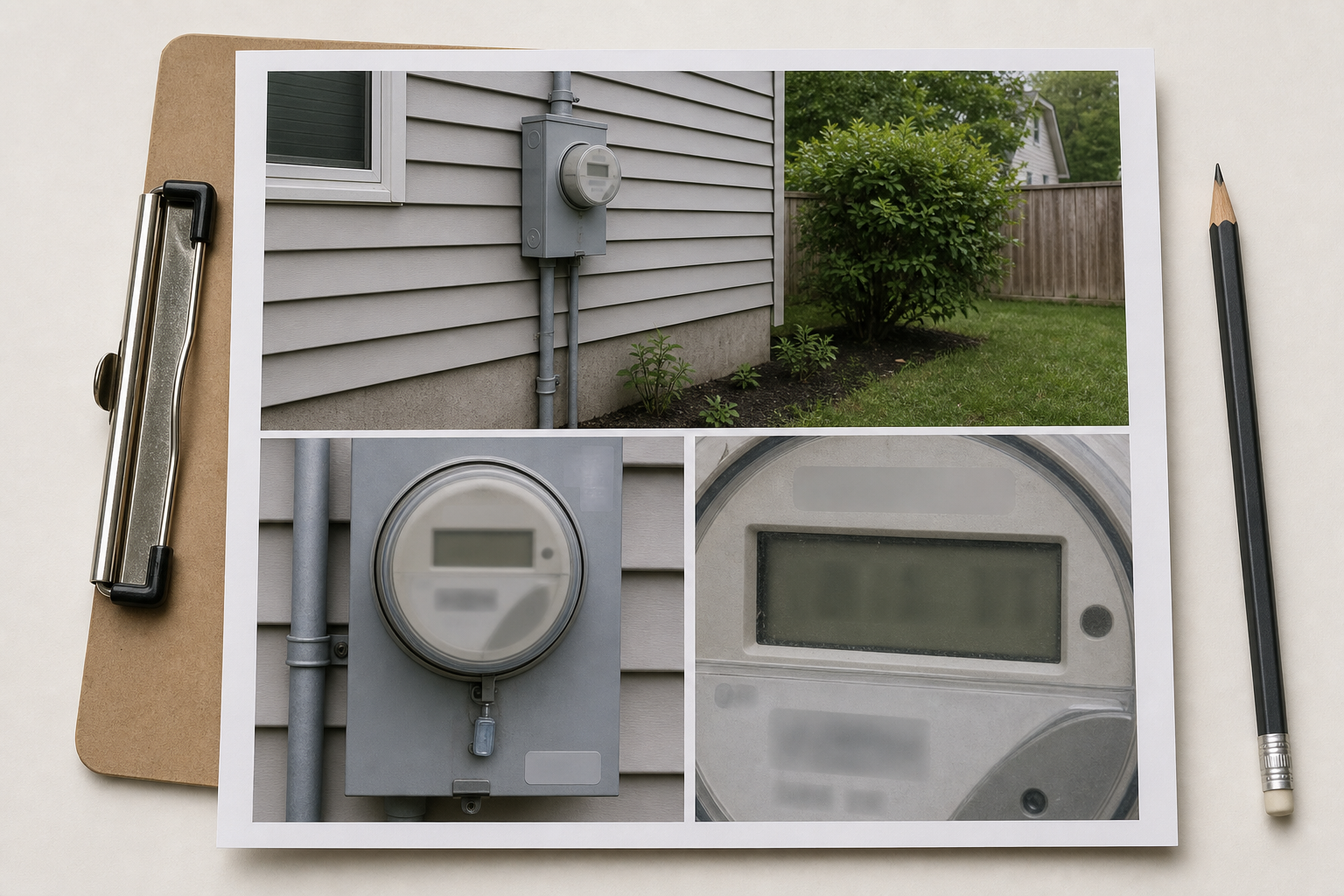
A structured evidence sheet is easier to review than a folder of unrelated JPEG files. Assemble the overview, identification image, display crop, extracted value, unit, timestamp, and verification note into a consistent page.
The page should distinguish clearly between observed information and interpretation. For example:
- Observed display: the photograph itself
- OCR candidate: the machine-extracted string
- Verified reading: the approved value
- Exception note: glare, transition, missing segment, or register uncertainty
Convert the selected images to a stable format with the image converter if field devices produced HEIC or another format that recipients may not open. Keep the originals separately, including their metadata.
When several pages belong to one visit, export them as PDFs and combine them with the PDF merge tool. Arrange pages in a predictable order: site summary first, then meters by location or asset identifier. Avoid merging unrelated properties into one file, especially when external parties will receive it.
File Naming and Archive Structure
Names should remain meaningful outside the inspection application. A practical pattern is:
site_unit_meter-type_device-id_capture-role_date_sequence.ext
For example, the capture role might be overview, identity, display-original, or display-ocr-copy. Use a partial device identifier if filenames will be shared outside an authorized team.
Store the verified value in a register or evidence sheet, not solely in the filename. Keep these items together:
- Original camera files
- Prepared display crops
- Raw OCR output
- Verified readings
- Notes explaining uncertainty or corrections
- Final evidence PDF, if one was created
Apply the organization's retention and privacy rules. Meter serial numbers, addresses, timestamps, and consumption patterns can become sensitive when combined. Share only the material needed for the stated purpose.
Field and Desk Review Checklist
At the Meter
- Confirm the site, unit, and meter type.
- Capture an overview before the close-up.
- Photograph the serial or asset identifier.
- Wait for the required register.
- Take at least two sharp display frames.
- Keep the decimal marker and unit visible.
- Check for glare before leaving.
- Note any damaged cover, condensation, or transitioning drum.
During Image Preparation
- Preserve the original file unchanged.
- Select the sharpest frame at full size.
- Crop away competing numbers without clipping context.
- Correct perspective only when necessary.
- Use restrained tonal adjustments and sharpening.
- Never generate or reconstruct display characters.
- Save the processed version as a clearly labeled derivative.
During Verification
- Compare the OCR output character by character.
- Confirm the register and measurement unit.
- Review decimal and fractional digits separately.
- Compare alternate frames when a segment is faint.
- Mark uncertainty instead of estimating.
- Obtain a second check for consequential records.
- Package the source image with the approved value.
Common Failure Patterns to Avoid
The most dangerous failure is a confident-looking number detached from its evidence. A spreadsheet entry may appear precise even when it came from a blurred display, the wrong register, or an OCR engine that silently dropped a decimal point.
Other recurring mistakes include photographing only the close-up, deleting alternate frames too early, applying heavy clarity filters, confusing the serial number with the reading, and sending recipients a modern image format they cannot open.
Compression also deserves care. Meter crops contain narrow lines and small punctuation that can degrade quickly. If files must be reduced for email or portal upload, test the result at 100 percent magnification. Use the image compression tool on copies, retain the uncompressed originals, and verify that every segment and decimal marker survives.
A Reliable Meter Record Is More Than a Number
OCR can accelerate utility meter transcription, but dependable records come from disciplined capture and human verification. The strongest result combines three layers: contextual photographs that establish identity, a faithful display image that preserves the evidence, and a reviewed text value that remains searchable.
Capture multiple views, isolate the correct display, edit conservatively, and treat ambiguous characters honestly. Those habits turn an ordinary phone photograph into a useful inspection record—one that another person can understand, audit, and verify long after the meter visit is over.