Seed Packet Photo OCR: A Field Guide to Searchable Garden Archives
Turn photographed seed packets into a searchable garden archive with better lighting, careful image cleanup, reliable OCR, structured filenames, and useful planting records.
Seed Packet Photo OCR: A Field Guide to Searchable Garden Archives
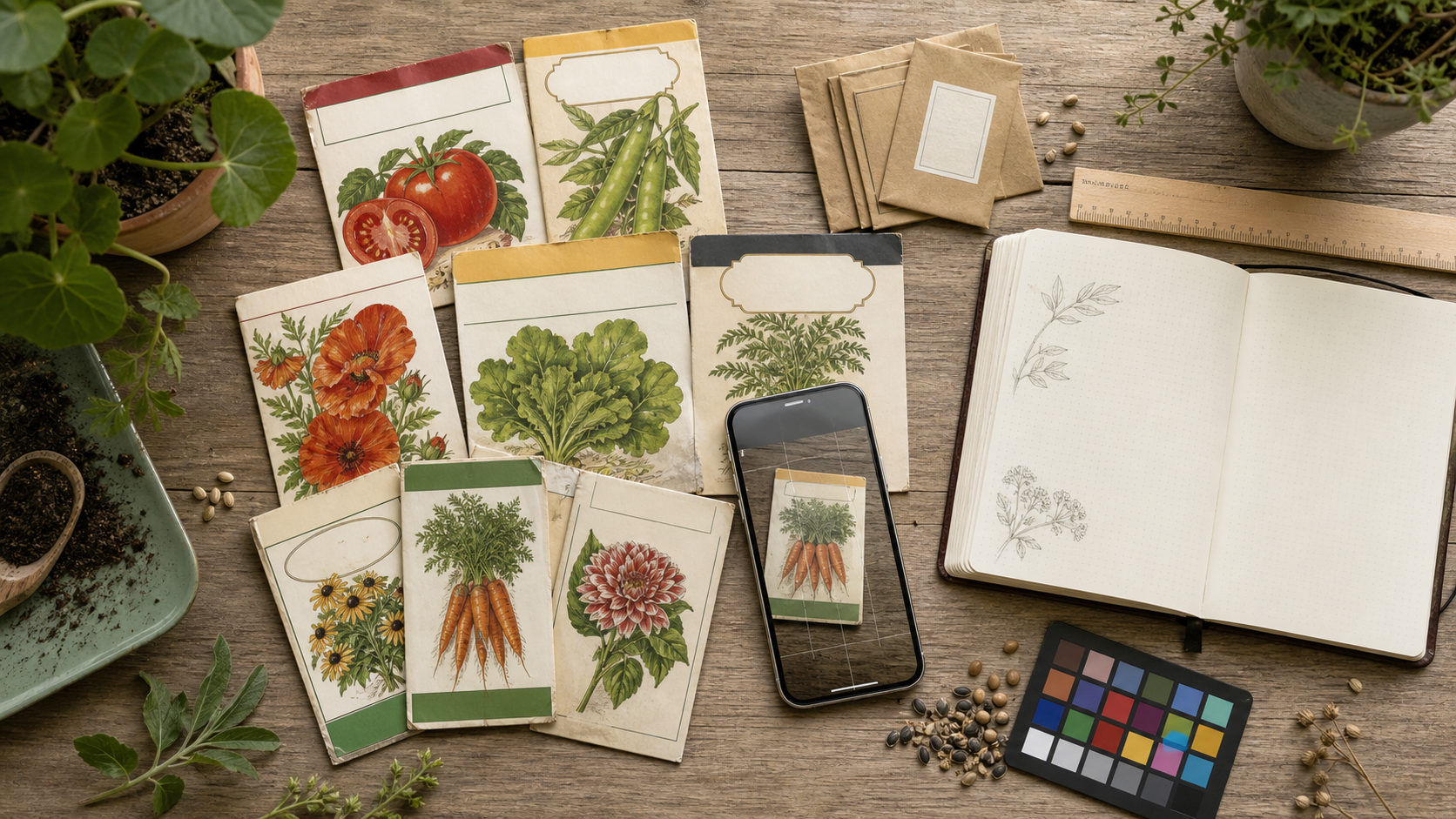
A seed packet is a compact technical document disguised as colorful packaging. Its front may identify a crop and cultivar, while the back contains sowing depth, spacing, germination time, maturity estimates, lot codes, treatment warnings, and supplier details. Once the packet is opened, folded, faded, or thrown into a drawer, that information becomes surprisingly difficult to retrieve.
Photographing packets creates a visual record, but a folder full of images is not yet a useful archive. If filenames are generic and the writing cannot be searched, finding the packet for a particular tomato, cover crop, or discontinued flower may still require opening dozens of files.
Optical character recognition, or OCR, can bridge that gap. The difficult part is that seed packets are unusually hostile OCR subjects. They combine decorative type, glossy coatings, creases, illustrations, tiny instructions, multiple languages, and text printed over colored backgrounds. Reliable results depend less on pressing an OCR button and more on preparing a clear, orderly source image.
This field guide explains how home gardeners, seed libraries, community gardens, small farms, and horticultural clubs can turn packet photographs into searchable records without building an elaborate digitization studio.
Decide What the Archive Must Answer
Begin with the questions you expect the archive to answer. This prevents unnecessary transcription and helps you choose what deserves careful verification.
A home gardener might want to find:
- Which cucumber varieties were planted last season?
- What was the recommended spacing for a particular bean?
- Which packets came from the same supplier?
- Which seeds may be too old for dependable germination?
- Was a variety open-pollinated, hybrid, organic, or treated?
A seed library may also need accession numbers, donor information, packet condition, quantity estimates, and storage locations. A small farm may care more about lot numbers, purchase dates, days to maturity, and notes connecting a packet to a field trial.
Write down five or six target questions before photographing anything. Those questions determine the fields in the final record and reveal which printed details must be checked manually.
Select the Information Worth Capturing
Not every word on a packet deserves equal attention. Marketing descriptions are often less valuable than the cultivar name or lot code. A concise record is easier to maintain and audit.
| Field | Why it matters | Verification priority |
|---|---|---|
| Common crop name | Supports broad searching and grouping | High |
| Cultivar or variety | Distinguishes one seed line from another | Critical |
| Supplier or brand | Helps locate replacement stock | High |
| Packed-for year | Indicates likely seed age | Critical |
| Lot or batch code | Connects the packet to recalls or germination issues | Critical |
| Days to maturity | Helps compare varieties | High |
| Sowing depth and spacing | Preserves practical planting guidance | High |
| Germination range | Useful for planning and troubleshooting | Medium |
| Hybrid or open-pollinated status | Important for seed saving | High |
| Treatment warning | May affect handling and use | Critical |
Treat OCR as a draft, especially for values where a single incorrect character matters. Confusing 2026 with 2028 is not the same as misreading an adjective in a promotional sentence. Lot codes, dates, measurements, and warnings require comparison with the original image.
Prepare Packets Before Photography
Seed packets often arrive at the camera bent, torn, dusty, or partially empty. A minute of preparation can eliminate several recognition problems.
Empty loose seeds into a labeled temporary envelope if they prevent the packet from lying flat. Do not leave seeds unlabeled during the session; similar-looking varieties are easily mixed. Brush away soil and chaff with a clean, soft brush rather than rubbing the printed surface.
Flatten folds gently under a clean sheet of paper and a light book. Avoid aggressive pressure on brittle vintage packets. If a packet cannot be flattened safely, support its edges so the printed panel remains as level as possible.
Remove transparent tape, staples, or labels only when doing so will not damage the packet. Reflective tape can hide characters, but a torn surface may lose them permanently. For archival or historically significant material, photograph the object as found and consult whoever is responsible for its care before altering it.
Assign each packet a temporary identifier before shooting. A small card reading something like SP-0042 can be placed beside, not over, the packet. This identifier connects front, back, detail, and condition photographs even if the files become separated.
Build a Simple Copy Station
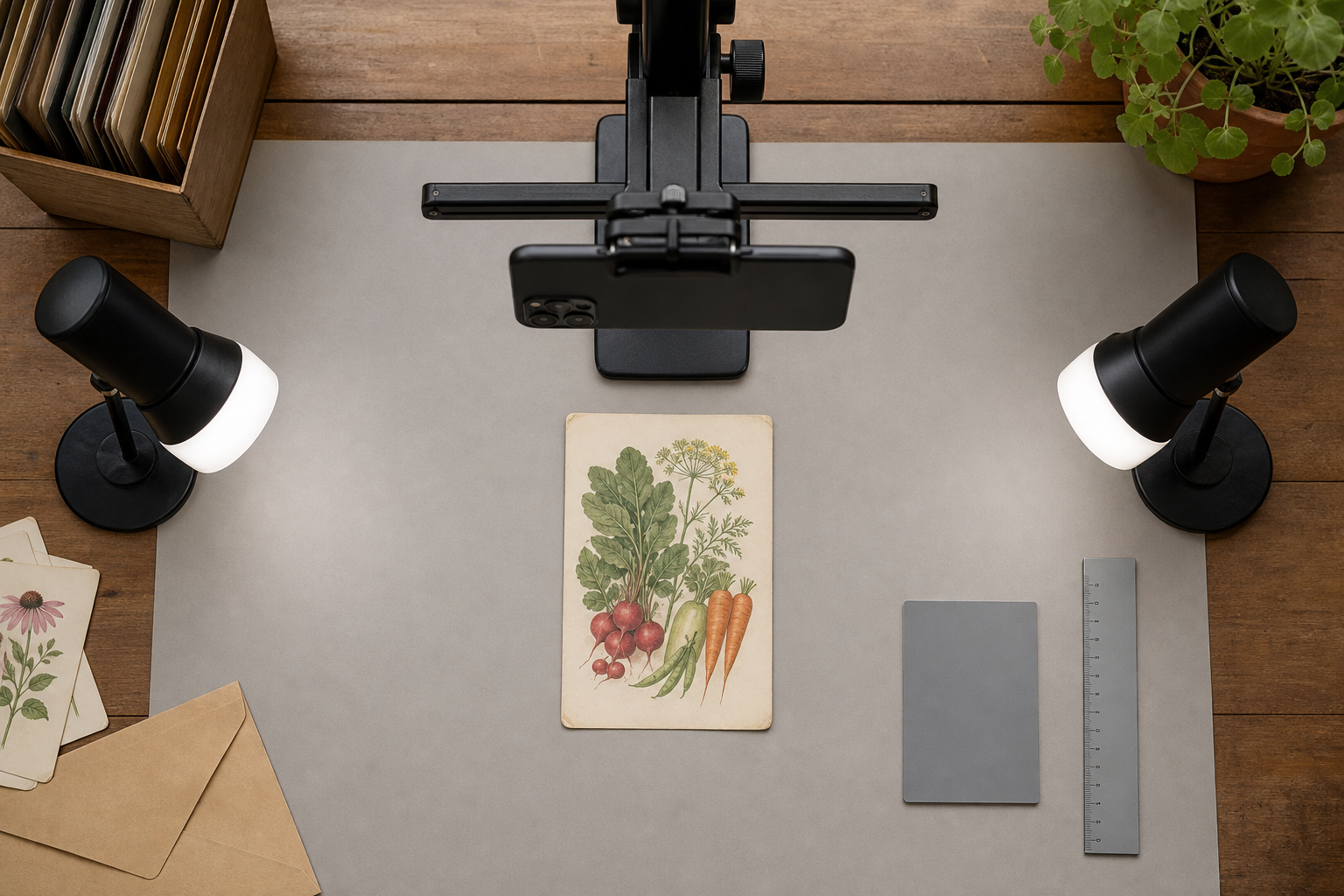
The most useful setup is a camera or phone held parallel to a flat packet. Handheld photography introduces small perspective distortions that make lines converge and tiny letters less consistent.
Use a phone stand, copy arm, or stable overhead mount. Place the packet on a matte gray, beige, or neutral board. Bright white backgrounds can encourage automatic exposure systems to darken the packet, while black backgrounds may cause overexposure. A midtone surface gives the camera a calmer reference.
Position two diffused lights at roughly equal angles on opposite sides. Symmetrical lighting reduces hard shadows and can cancel some glare from glossy coatings. Window light can work when it is indirect and stable, but changing clouds may produce inconsistent exposures across a large session.
Keep the following points in check:
- The camera lens is directly above the packet.
- All four packet edges appear parallel to the image edges.
- The packet fills most of the frame without being cropped.
- Tiny print looks sharp when viewed at full size.
- No lamp, hand, or phone reflection covers the writing.
- The camera has not applied an extreme portrait blur or beauty filter.
If gloss remains visible, move the lights farther to the sides or raise them slightly. Do not solve glare by making the entire photograph too dark. A polarizing filter can help with difficult coatings, but careful lamp placement is usually enough for an occasional project.
Photograph Front, Back, and Critical Details
Capture at least two images per packet: a complete front and a complete back. Photograph folded side panels separately when they contain instructions or codes.
The full-packet image preserves visual context. It shows artwork, layout, physical condition, and which text belongs to which packet. A closer detail image gives OCR more pixels for tiny planting instructions and stamped codes. These two purposes should not be forced into a single photograph.
For each packet, consider this sequence:
- Photograph the front with the identifier visible beside it.
- Photograph the back in the same orientation.
- Capture a close view of the cultivar and crop name.
- Capture a close view of the sowing table or planting instructions.
- Capture the packed-for date, lot code, and treatment statement.
- Add a condition image if the packet is torn, stained, or unusually folded.
Lock focus on the printed surface. If the camera keeps selecting illustrations or nearby objects, tap on the smallest text block before taking the image. Use the main rear camera rather than digital zoom when possible. Move the camera closer while retaining enough distance to avoid lens distortion and shadows.
Correct Geometry Before Running OCR
OCR performs best when text lines are horizontal and character proportions are natural. A slightly rotated image is easy to correct; a steeply angled packet can require perspective correction.
Start by cropping away most of the background while retaining a narrow margin around the packet. Rotate the image until long lines of text are level. If one side appears wider than the other, apply a perspective or four-corner correction so the packet becomes rectangular.
Be conservative. Excessive correction can stretch letters at the edges or make a genuinely tapered packet look unnatural. Preserve the untouched camera file and create an edited derivative for recognition.
When you need a consistent pixel size for a collection, use the image resizing tool after cropping. Resize from the cleaned master rather than repeatedly resizing an already compressed copy. For tiny print, downscaling too early discards the fine edges that distinguish characters such as 8, B, 0, and O.
Improve Legibility Without Erasing Evidence
Seed packets often need modest tonal correction, but dramatic filters are risky. Heavy sharpening creates halos around letters. Strong noise reduction can merge narrow gaps. Extreme contrast may erase pale printing or turn stains into dark shapes that resemble characters.
A restrained correction sequence is usually enough:
- Adjust white balance so neutral paper does not appear strongly blue or orange.
- Raise exposure slightly if the paper is muddy or underlit.
- Reduce bright highlights to recover glossy areas.
- Add moderate contrast between text and background.
- Apply light sharpening while checking small type at full size.
- Compare the edited version with the untouched photograph.
Decorative fronts and instructional backs may require different treatment. The front benefits from preserved color because package design helps visual identification. The back may support a second, high-contrast derivative made specifically for OCR.
An AI photo editor can assist with local cleanup or distracting background removal, but documentary integrity still matters. Do not reconstruct missing letters, invent obscured text, or remove marks that could indicate packet condition. Keep edits reversible and retain the source image beside every enhanced version.
Handle Difficult Packet Designs
Text Printed Over Illustrations
Colorful fronts often place variety names over leaves, flowers, or gradients. OCR may interpret visual edges as punctuation or break one word into several fragments.
Crop closely around the name and test a grayscale copy. If the lettering is lighter than the background, a local contrast adjustment may help. Preserve the full-color original because the grayscale derivative may weaken differently colored letters that happen to share similar brightness.
Glossy or Metallic Packaging
Reflective surfaces should be corrected during photography, not merely after it. Take two exposures with the lights in slightly different positions. A character hidden by glare in one image may be visible in the other.
Metallic packets can reflect the room even under soft lighting. Surrounding the setup with white card can create a broad, even reflection instead of sharp shapes. Leave an opening only for the lens.
Dot-Matrix and Inkjet Date Codes
Packed-for dates and lot codes may be stamped after the packet is printed. Their ink can be faint, broken, or poorly aligned with the design.
Capture a tight detail and inspect it manually. OCR engines frequently confuse fragmented 3, 5, 6, and 8. Record uncertain characters with an explicit marker, such as LOT 24?7, rather than silently choosing a value. The image remains the authority.
Curved, Wrinkled, or Partially Torn Packets
A packet that cannot lie flat may need several overlapping detail images. Keep the camera parallel to each local section. Trying to force the whole object into focus can produce blurred edges and an unreadable center fold.
If text is missing, transcribe only what is visible. Supplier catalogs or duplicate packets may help identify the product, but externally sourced wording should be recorded separately from direct transcription.
Run OCR in Logical Regions
Sending the entire photograph through OCR can produce a confusing mix of crop names, logos, slogans, illustrations, and instructions. Region-based recognition is easier to review.
Create separate crops for:
- Crop and cultivar name
- Planting directions
- Date and lot code
- Supplier details
- Warnings or treatment statements
Use the image OCR tool on the clearest version of each region. Retain line breaks where they express a table or a sequence of instructions. For a dense multilingual packet, process each language block independently.
OCR output should be treated as untrusted transcription until checked. Compare it side by side with the image, reading numbers digit by digit. Pay particular attention to fractions, temperature ranges, units, punctuation, and abbreviations.
A useful review method is to read the OCR text backward by field rather than as a paragraph. Familiar sentences encourage the brain to overlook mistakes, while isolated values make discrepancies more obvious.
Create a Record That Remains Useful
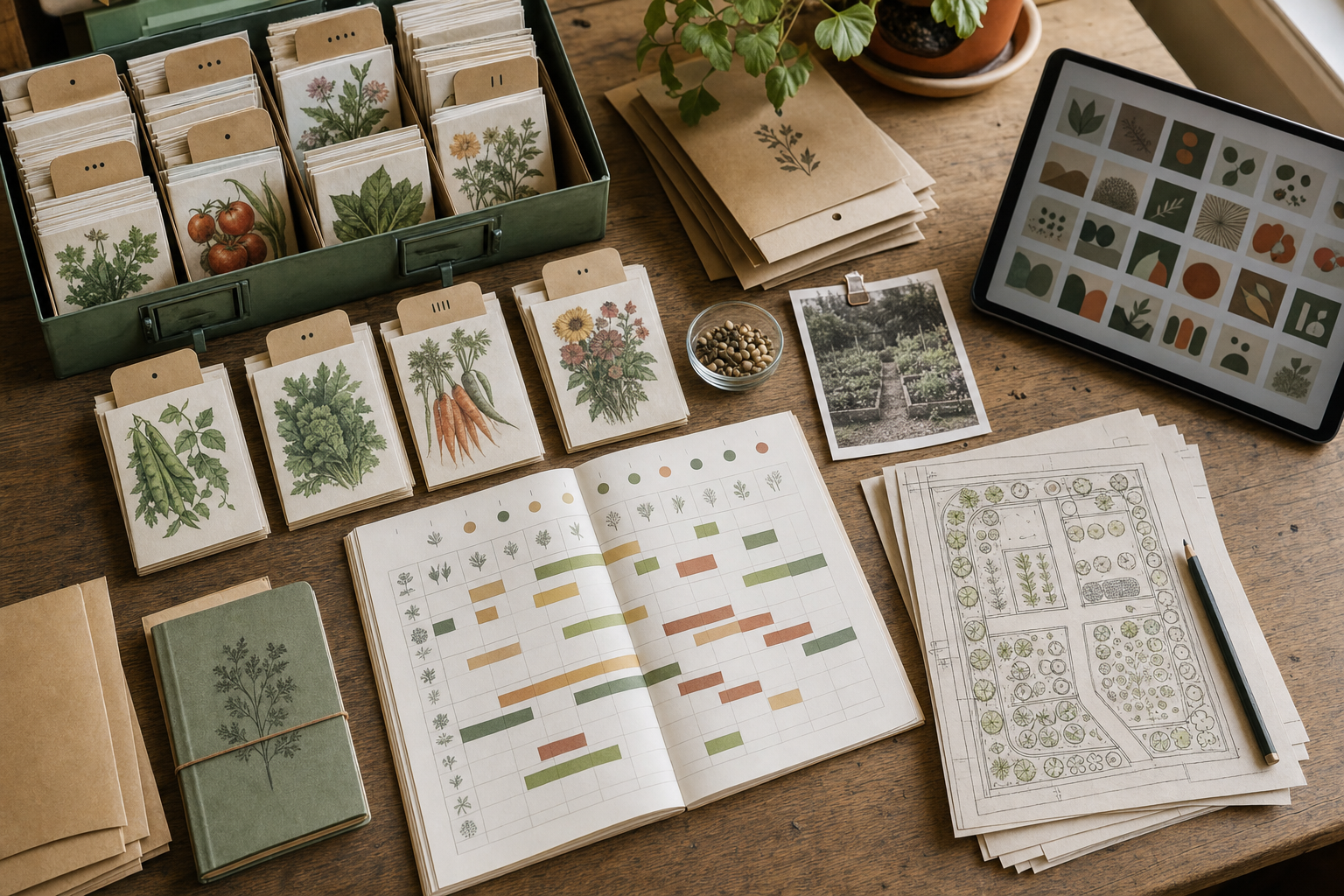
The archive becomes valuable when images, extracted text, and gardening observations remain connected. A spreadsheet is sufficient for many collections. A catalog application or database may be appropriate when multiple people contribute records.
Use one row or record per packet, with columns based on the questions defined at the beginning. Include the temporary identifier, filenames for the front and back images, and a short transcription status such as unchecked, reviewed, or verified.
A practical filename pattern is:
year-crop-cultivar-supplier-packet-id-side.ext
For example:
2026-tomato-northern-ruby-example-seeds-sp0042-back.jpg
Use lowercase characters, hyphens, and stable vocabulary. Do not place uncertain dates or OCR guesses in filenames; filenames are awkward to correct in bulk and may be treated as authoritative later.
Keep observations separate from printed claims. A field called packet_days_to_maturity records what the manufacturer printed. A separate field called observed_days_to_first_harvest records what happened in the garden. Combining the two destroys a useful comparison.
You can also include:
- Purchase or donation date
- Storage location
- Seed quantity estimate
- Germination test date and result
- Bed, row, or plot identifier
- Sowing and transplant dates
- Harvest notes
- Flavor, color, vigor, or disease observations
- Whether seed was saved from the crop
Package Images for Sharing and Preservation
Keep an original image, a cleaned master, and any OCR-focused derivatives in distinct locations or clearly named folders. The original is evidence of what the camera captured. The master is the best general-purpose corrected image. Derivatives may be cropped, converted, compressed, or made high contrast for a particular use.
Choose formats according to purpose. JPEG is practical for ordinary packet photographs. PNG may suit high-contrast text derivatives or images that have undergone repeated editing, though files can be larger. If a catalog system requires a different format, use the image conversion tool from the cleaned master.
Compression should make sharing easier without damaging small text. Test the smallest printed instructions, not just the colorful front artwork. The image compression tool can reduce storage and transfer size, but compare the result at 100 percent magnification before processing a whole collection.
For a portable reference packet, combine selected front and back images with a short record sheet using image to PDF. A PDF is convenient for sharing with a seed librarian or garden coordinator, while the individual images and structured data should remain the primary archive.
Audit a Sample Before Processing Everything
Before photographing hundreds of packets, complete a pilot set of ten to twenty. Include glossy packets, pale ink, dark designs, tiny print, handwritten additions, and at least one damaged example.
Measure the pilot against practical criteria:
- Can crop and cultivar names be found with a text search?
- Are packed-for years and lot codes accurate?
- Are front and back images connected to the same identifier?
- Can another person understand the filenames?
- Is small text legible after compression or export?
- Are uncertain readings visibly marked?
- Are untouched originals preserved?
Record recurring errors. If every glossy packet has a bright streak, fix the lighting before continuing. If OCR consistently merges sowing-table columns, create separate crops for each column. If filenames vary because contributors use different crop names, define a short controlled vocabulary.
The pilot is also the right time to estimate effort. Full transcription may be justified for rare, discontinued, or locally adapted varieties. For common packets, a lighter record containing the cultivar, supplier, date, and searchable image may be sufficient.
Final Capture and Review Checklist
Before returning a packet to storage, confirm:
- Front and back have been photographed.
- The packet identifier is visible or recorded correctly.
- Focus is sharp across every important text area.
- Glare does not cover the cultivar, date, lot code, or warning.
- Folded panels and handwritten notes have separate images.
- Loose seeds have been returned to the correct labeled container.
Before marking the digital record complete, confirm:
- Rotation and perspective are corrected.
- The original photograph is preserved.
- OCR regions were processed separately where useful.
- Dates, codes, measurements, and warnings were checked manually.
- Uncertain characters are marked instead of guessed.
- Filenames follow the collection convention.
- Printed guidance and personal garden observations occupy separate fields.
- Shared copies remain readable at normal viewing size.
A Searchable Archive Is More Than a Packet Scan
The goal is not to produce a perfect transcription of every marketing sentence. It is to preserve the evidence, extract the details that support real gardening decisions, and make those details easy to retrieve later.
A careful photograph protects context that OCR cannot capture: typography, color, package condition, handwritten notes, and the location of each printed claim. Structured fields make comparisons possible. Verification keeps mistaken dates and codes from quietly entering future plans.
With a stable copy setup, consistent identifiers, restrained image cleanup, and a short audit routine, even a modest seed collection can become a dependable reference. The result helps gardeners remember what they planted, compare printed guidance with actual results, preserve information from aging packets, and rediscover varieties that would otherwise disappear into a box of anonymous paper.