Parking Permit Photo Packets for Property Managers: A Practical Evidence Guide
A practical guide for property managers who need clean vehicle photos, permit images, plate captures, and PDFs for parking disputes, enforcement logs, and resident records.
Parking Permit Photo Packets for Property Managers: A Practical Evidence Guide
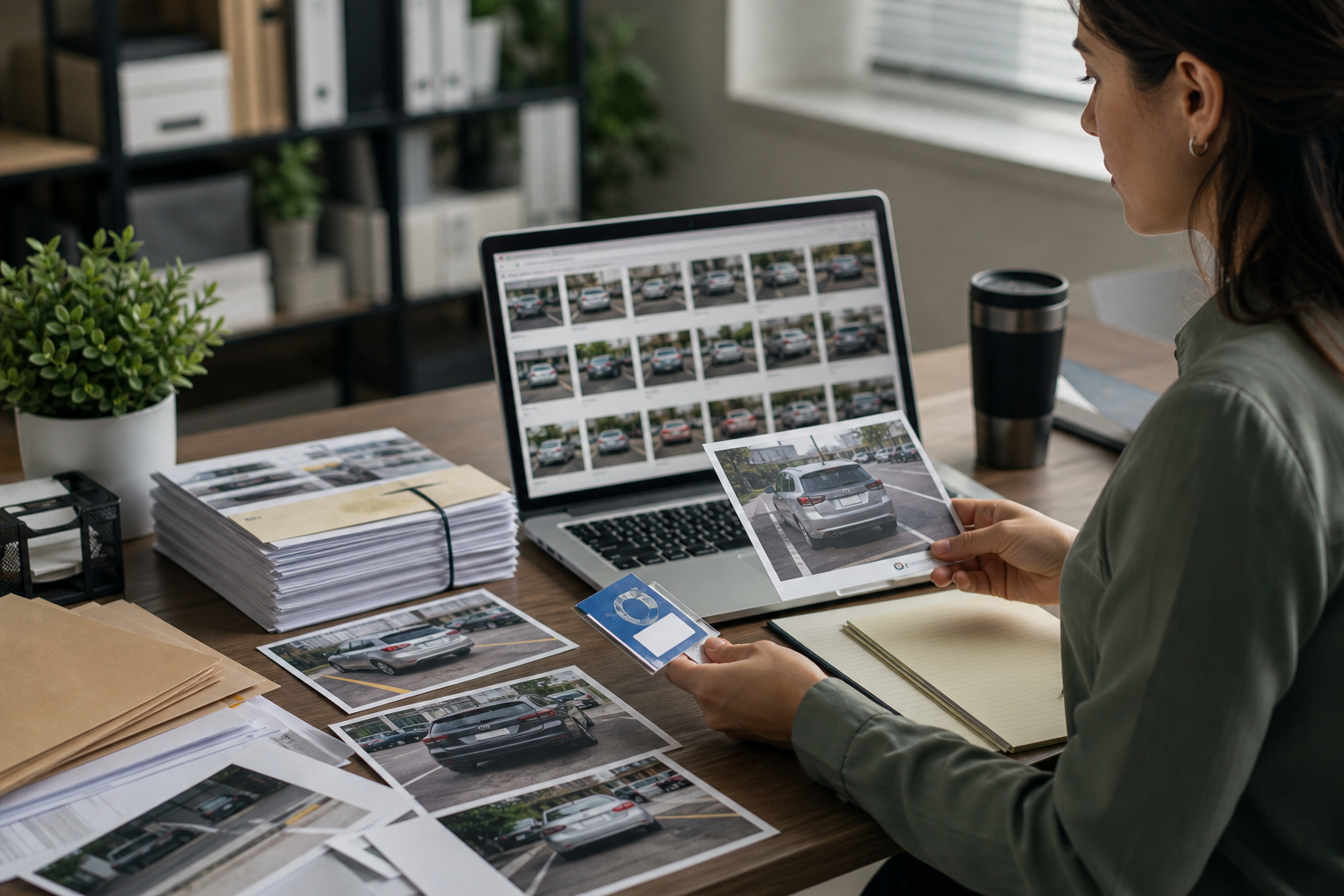
Parking disputes rarely fail because nobody took a photo. They fail because the photos are scattered, unclear, oversized, inconsistently named, or impossible to connect to the actual incident. A property manager may have a wide shot of a vehicle, a separate permit closeup, a blurry license plate image, and a resident email thread, but if those pieces are not packaged clearly, the evidence becomes hard to trust.
This guide is for apartment managers, HOA administrators, student housing teams, mixed-use buildings, and parking enforcement coordinators who need a practical way to prepare parking permit photo packets. The goal is not to create a courtroom-grade forensic file. The goal is to make everyday evidence easier to review, share, archive, and defend when a resident, tenant, visitor, towing vendor, or board member asks what happened.
A good packet answers five questions quickly: which vehicle, where it was parked, what permit or authorization was visible, what rule was likely involved, and whether the images are clear enough to support the decision. That usually requires only a few well-prepared images and a clean PDF. The hard part is consistency.
Why Parking Photo Packets Need More Structure
Parking evidence often moves through several hands. A patrol vendor may capture the original images. A leasing office may review them. A resident may request proof. A board member may ask for a summary. A towing company may need a copy. Months later, the same file may be reopened because a fee is contested.
When images are left as random phone exports, small problems compound. One file may be a 7 MB photo with too much pavement. Another may be a screenshot from a vendor portal. Another may be a cropped permit photo with no visible vehicle context. If these files are forwarded individually, reviewers have to reconstruct the event from fragments.
A structured packet reduces that friction. It does not make the enforcement decision for you, but it makes the supporting material easier to evaluate. It also helps your team spot weak evidence before it becomes a resident-facing dispute.
Good parking packets are useful because they are:
- Complete enough to show vehicle, plate, permit, and location context.
- Small enough to email or upload without failing attachment limits.
- Clear enough that plate characters and permit details remain readable.
- Named consistently enough that files can be found later.
- Packaged in a format that non-technical reviewers can open.
For many teams, that final format is a PDF created from cleaned and resized photos. ConvertAndEdit's image to PDF tool is useful when you need to turn separate evidence images into one reviewable document, while tools like resize image and compress image help keep the source images manageable before packaging.
The Four Photos Every Parking Packet Should Include
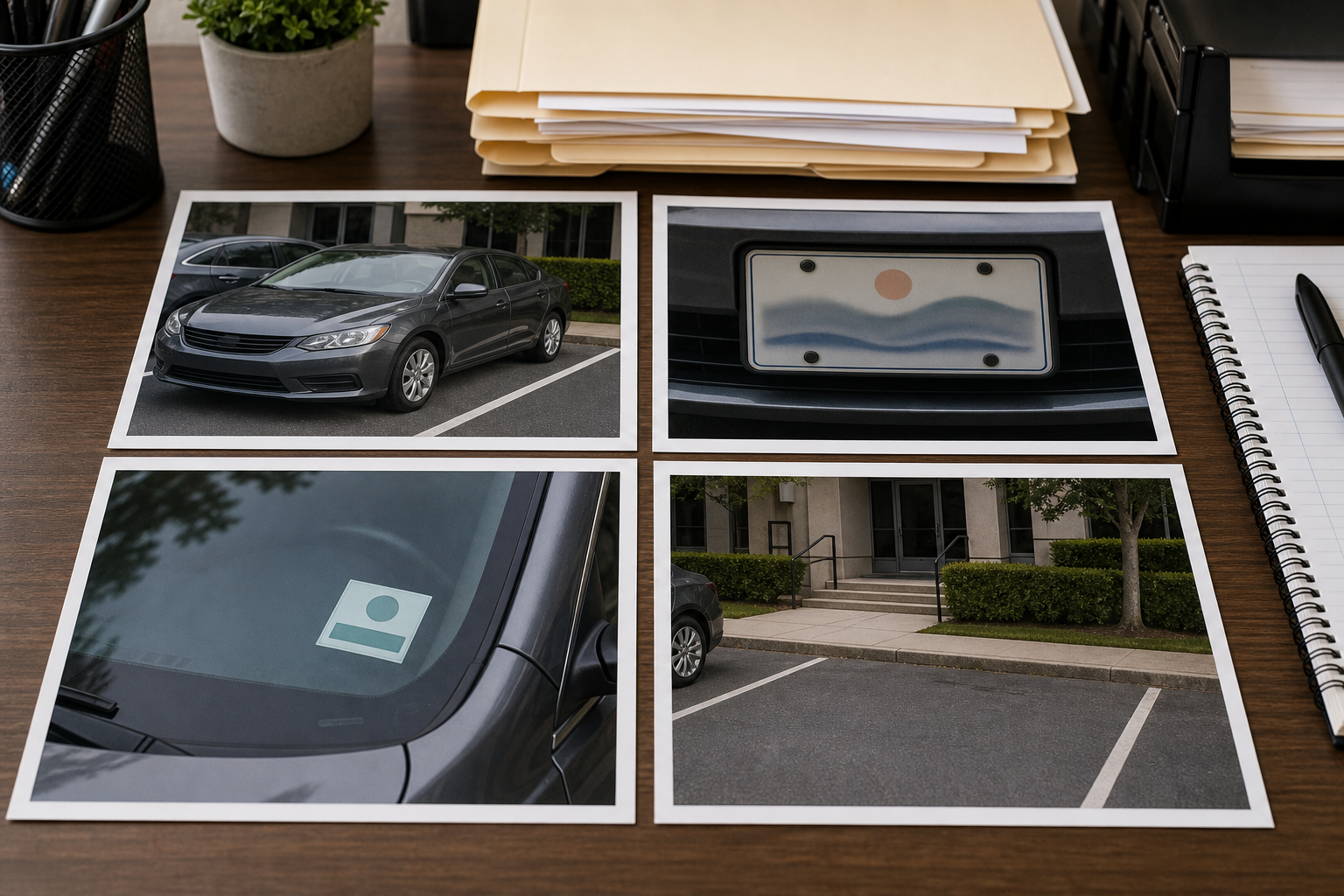
A reliable parking packet usually starts with four image types. You may not need all four for every minor notice, but they create a strong baseline for enforcement documentation.
1. Full Vehicle View
The full vehicle photo should show the car as a whole. Ideally, it includes the vehicle position within the space, a visible parking line or curb, and enough surrounding detail to understand whether the vehicle was in a marked stall, reserved area, fire lane, loading zone, accessible space, or visitor section.
Do not crop this image too tightly. The full vehicle view is not only about the car. It is about context. A plate-only photo may identify the vehicle, but it does not show whether the vehicle was actually in the disputed location.
Use this photo to establish:
- Vehicle make, model, color, and general condition.
- Placement inside or outside a designated stall.
- Nearby signs, curbs, painted markings, or parking zone features.
- Whether the scene appears consistent with the reported location.
If the original photo includes unrelated vehicles, balconies, people, or private resident details, crop carefully. Keep the evidence visible while removing distractions that do not help the review.
2. License Plate Closeup
The plate closeup should be readable without zooming aggressively. If a reviewer has to guess whether a character is an 8, B, 0, or D, the packet is weaker than it needs to be.
A plate photo should include the entire plate, not only the characters. The state, registration sticker area, specialty plate design, or frame may matter. Keep a small border around the plate so it does not feel artificially cut out.
If the photo was taken at night, avoid over-brightening the image until reflective plate material turns into a white blur. A mild crop plus compression at a sensible quality level is usually better than heavy editing. You can use compress image to reduce file size after confirming the plate remains readable.
3. Permit or Authorization Closeup
Permit evidence may involve a windshield sticker, hang tag, dashboard placard, QR code, printed visitor pass, or digital permit record shown in a portal screenshot. The image should make clear whether a permit was present, absent, expired, obscured, mismatched, or displayed incorrectly.
For physical permits, photograph the permit in context. A tight crop of a hang tag can be useful, but a reviewer may also need to see that the permit was actually inside the vehicle. If possible, capture both a closeup and a slightly wider view showing the windshield or dashboard area.
Be careful with glare. Windshields can reflect sky, trees, building lights, and the photographer. If the permit is hard to read, take another photo from a slight angle instead of relying on aggressive editing later.
4. Location Context
The location photo shows where the vehicle was parked in relation to the property. This may be a stall number, garage level, row marker, reserved sign, curb paint, gate area, loading zone, or nearby building entrance.
This image is especially important in communities with repeated stall numbers, multiple garages, similar-looking visitor spaces, or assigned parking sections. A resident may not dispute the vehicle identity; they may dispute the location. A context image helps answer that issue directly.
If signs or stall markings are too small in the full vehicle view, capture a separate location detail. If the sign contains readable rules, make sure the photo is sharp and not clipped at the edge.
Evidence Quality Checklist Before You Package Anything
Before turning images into a PDF, run a quick quality check. This prevents you from creating a polished packet from weak source material.
Use this checklist for each incident:
- Is the vehicle visible in at least one wide image?
- Is the license plate readable at normal viewing size?
- Is the permit, pass, or lack of visible permit documented clearly?
- Is the parking location identifiable from the images?
- Are timestamps, if present, consistent with the incident record?
- Are irrelevant personal details cropped out where possible?
- Are images rotated correctly?
- Are duplicate or near-duplicate photos removed?
- Are edited images still faithful to the original scene?
The last point matters. Evidence preparation should improve readability, not change meaning. Cropping, rotating, resizing, and light exposure correction are usually acceptable for administrative packets. Removing objects, altering plate characters, changing permit details, or making a sign appear clearer than it was in the original scene can create serious trust problems.
If you use AI-assisted editing for a resident-facing evidence file, be conservative. ConvertAndEdit's AI photo editor can be useful for general image cleanup tasks, but parking evidence should not be cosmetically altered in ways that affect the facts. For enforcement records, ordinary crop, resize, compression, and conversion are usually the safer choices.
Crop for Context, Not Drama
A common mistake is cropping every parking photo like a product image. The plate fills the frame. The permit fills the frame. The car fills the frame. The result may look clean, but it can strip away the context that makes the evidence useful.
For parking packets, use three crop styles deliberately.
| Crop type | Best for | What to keep visible | What to avoid |
|---|---|---|---|
| Wide crop | Full vehicle and stall context | Vehicle, parking lines, nearby sign or curb | Cropping out the location marker |
| Detail crop | Plate, permit, placard, sign | Entire object plus a small border | Cutting off state, date, permit edge, or sign frame |
| Privacy crop | Removing unrelated details | Evidence subject and necessary surroundings | Removing context needed to understand the incident |
The wide crop should feel boring. That is a good thing. It should answer the practical question, not create a dramatic closeup. The detail crop can be tighter, but it should still preserve enough of the original object to feel trustworthy.
If you need to normalize several large phone photos before making a PDF, start with resize image. Resizing wide photos to a practical dimension can reduce file size while keeping enough detail for review. For most administrative packets, you do not need original camera dimensions unless the plate or permit is already difficult to read.
Resize Without Destroying Plate and Permit Readability
Modern phone photos are often larger than necessary for routine review. A single vehicle image may be 3000 to 5000 pixels wide. That is useful for zooming, but it can make email attachments and PDF uploads painful.
The trick is to resize based on the smallest important text in the image. In a parking packet, that is usually the license plate, permit number, visitor pass date, stall number, or posted sign.
Use this practical decision table:
| Source image condition | Recommended handling | Reason |
|---|---|---|
| Plate and permit are very sharp | Resize moderately before PDF creation | Saves space with low risk |
| Plate is readable but small | Crop first, then resize carefully | Keeps the critical area legible |
| Night photo has glare | Keep more resolution and compress lightly | Extra pixels may help review |
| Permit text is tiny | Use a closeup image rather than relying on wide shot | Wide image may not survive PDF compression |
| Image is already a screenshot | Avoid repeated resizing | Screenshots degrade quickly |
After resizing, open the image at the size a reviewer will actually see. Do not judge only from a zoomed-in editing view. If you cannot read the plate or permit at normal PDF viewing size, the packet needs either a better source image or a separate detail crop.
Compression: Smaller Files Without Muddy Evidence
Compression is where many evidence packets go wrong. Teams often reduce image size until the PDF is easy to send, then discover that plate characters, permit dates, and sign text have become blocky.
For parking photos, compression should be judged by legibility, not by file size alone. A 900 KB packet that cannot support a decision is worse than a 3 MB packet that reviewers can trust.
Use compression after you have removed obvious waste: duplicate images, accidental screenshots, blank pavement, and unnecessary background. Then compress the remaining images just enough to meet your sharing needs.
Practical compression checks:
- Zoom to 100 percent and inspect plate characters.
- Look for blocky edges around permit numbers and sign text.
- Check dark garage photos for smeared shadows.
- Reopen the compressed file, not only the preview shown during export.
- Compare against the original before deleting anything.
If you need to prepare images for upload limits, use compress image after cropping and resizing. Compression is most predictable when the image already contains only the necessary evidence.
A Simple Naming System That Survives Disputes
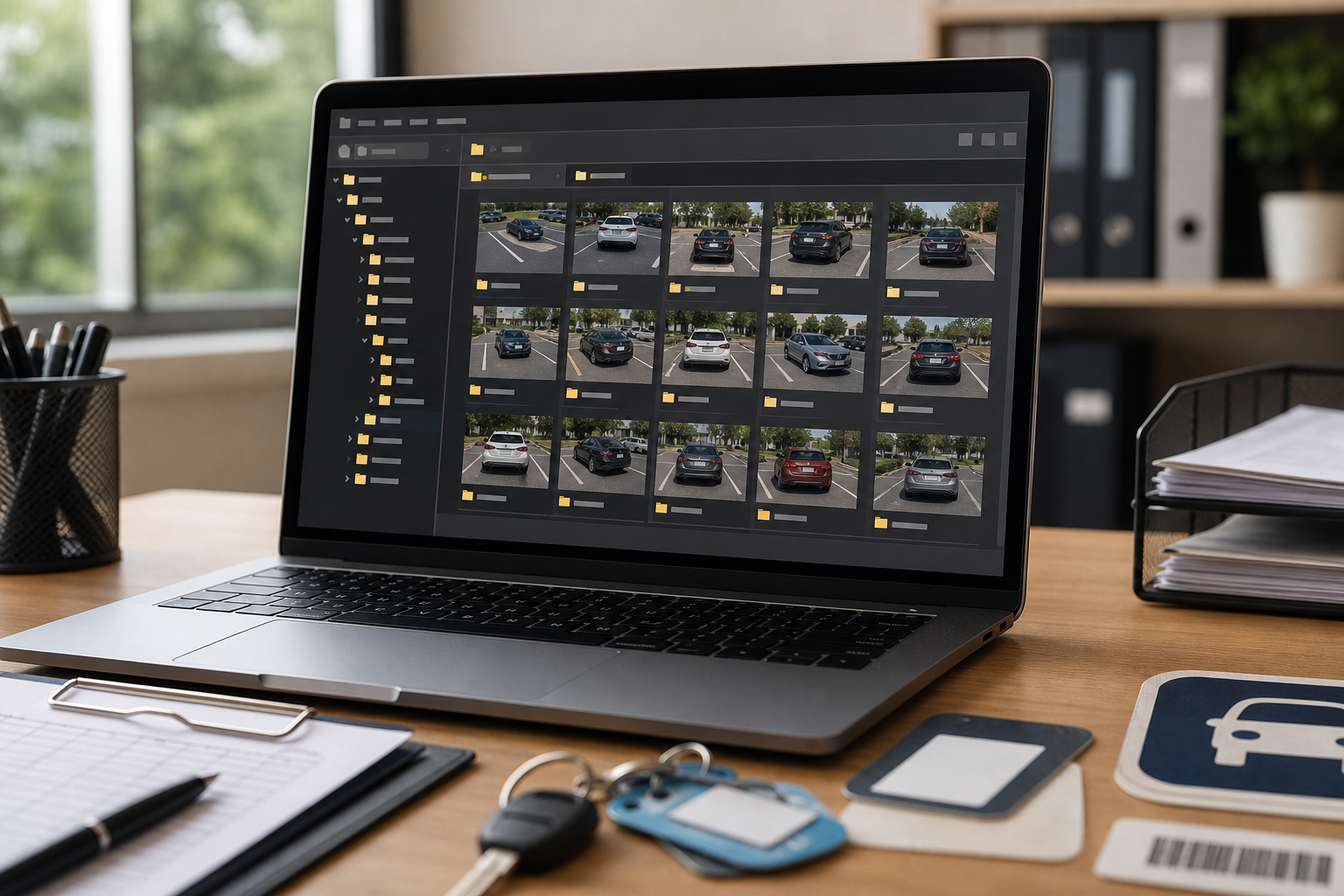
File naming sounds minor until a resident replies three months later asking for documentation. Then names like IMG_8841.jpeg and Screenshot 2026-05-18 at 7.42.11 PM.png become a problem.
A useful parking evidence name should identify the date, property or building, vehicle, and image role. Avoid putting sensitive resident names directly in filenames unless your internal policy requires it. Names often appear in email attachments, download folders, and shared portals.
A practical pattern looks like this:
2026-05-18_building-c_plate-8ABC123_full-vehicle.jpg
2026-05-18_building-c_plate-8ABC123_plate-closeup.jpg
2026-05-18_building-c_plate-8ABC123_permit-closeup.jpg
2026-05-18_building-c_plate-8ABC123_location-context.jpg
If your team uses case numbers, include them near the front:
PKG-2026-0417_2026-05-18_garage-b_plate-8ABC123_full-vehicle.jpgKeep filenames lowercase, consistent, and plain. Avoid spaces, special symbols, and vague labels like final, edited, new, or proof. If a packet gets revised, use a clear version suffix:
PKG-2026-0417_parking-evidence_v2.pdfThis naming system also helps when converting images into a PDF. If the images are sorted alphabetically, they will appear in a logical order instead of a random camera order.
Build the PDF in Review Order
A parking evidence PDF should not be a pile of images. It should present the case in the order a reviewer naturally thinks.
A strong order is:
- Full vehicle view.
- Location context.
- License plate closeup.
- Permit or pass closeup.
- Any supporting sign, stall marker, or vendor screenshot.
This order starts with the scene, then confirms identity, then shows the permit issue. It prevents the reviewer from seeing a plate closeup first and wondering where the vehicle was actually parked.
When using image to PDF, arrange images in this review order before exporting. If the resulting PDF is too large, compress or resize the images before creating a new copy. If you have multiple related PDFs, such as a vendor report plus your internal photo packet, PDF merge can help combine them into one file for a board packet or archive record.
Do not overload the PDF with every photo captured. Include the images that answer the dispute. Extra near-duplicates make the packet longer without making it stronger.
Handling Vendor Portal Screenshots
Many parking operations involve third-party patrol or towing systems. These portals may provide screenshots, incident summaries, permit lookups, and timestamps. Screenshots can be helpful, but they should be handled carefully.
A portal screenshot is not the same as a vehicle photo. It may contain useful metadata, but it can also include unrelated resident details, staff names, account notes, or internal controls. Before adding a screenshot to a packet, crop it to the relevant incident information while preserving the visible connection to the case.
If the screenshot contains small UI text, avoid repeated conversion. Screenshots degrade quickly when resized, compressed, copied into documents, exported, and recompressed. Keep one clean version and use it directly.
For screenshots with visible text that needs to be extracted into a note or case summary, image OCR can help pull text from the image. Always review OCR output manually. Parking portal screenshots often contain abbreviations, plate numbers, timestamps, and permit codes that OCR can misread.
Privacy and Redaction Boundaries
Parking evidence can include more than a vehicle. Photos may capture people, apartment numbers, garage access devices, neighboring vehicles, building entrances, or personal items visible through windows. A practical packet should share what is necessary and avoid exposing what is not.
For routine resident communication, consider removing or cropping:
- Faces of bystanders.
- Neighboring license plates when they are unrelated.
- Apartment or unit numbers not connected to the incident.
- Personal items visible inside other vehicles.
- Internal portal navigation, staff notes, or unrelated account data.
Do not crop so aggressively that the evidence becomes suspicious or incomplete. If a neighboring plate is visible in a wide location shot, a privacy crop may be appropriate, but keep the parking lines, sign, curb, or stall marker that supports the case.
For formal disputes, follow your organization's records policy. Some teams preserve originals separately and share cleaned review copies. That is often the best balance: originals remain available internally, while the shared packet is easier to read and less cluttered with unrelated details.
Daytime, Night, Garage, and Weather Scenarios
Parking photos are rarely captured under ideal lighting. Your preparation choices should change based on the scene.
Daytime Outdoor Lots
Daytime lots usually provide the easiest evidence, but glare can still hide dashboard permits. Crop out excess sky and pavement, but keep signs, stall lines, and curb colors. Compression usually works well if the plate and permit are sharp.
Night Enforcement
Night photos often contain bright plate reflections and dark surroundings. Keep more image resolution than usual, and avoid strong compression. If the plate is blown out by flash, a second image from a different angle is better than trying to fix it later.
Parking Garages
Garages create color casts, shadows, and repeating backgrounds. Location context is especially important because one level can look like another. Capture level markers, stall numbers, pillar labels, or elevator lobby signs when possible.
Rain, Snow, and Dirty Windows
Weather can obscure permits and plates. A packet should make the limitation visible rather than pretend it is not there. If snow covers the windshield and no permit can be seen, include a wide vehicle image and a closer windshield image. If a plate is muddy, capture the best available angle and document the condition clearly.
Common Packet Mistakes to Avoid
Most weak parking packets have one of a few predictable problems.
The first is missing context. A plate image proves identity, but not location. A permit closeup proves a permit existed, but not that it belonged to that vehicle or was displayed correctly. Always pair details with scene-setting photos.
The second is over-compression. Small files are convenient, but unreadable plate characters can undermine the entire record. Compress only after confirming the critical text survives.
The third is mixed ordering. If the PDF starts with a random closeup, then a blurry portal screenshot, then a wide vehicle image, the reviewer has to do too much reconstruction. Put the packet in review order.
The fourth is private clutter. A packet with unnecessary resident information can create avoidable privacy issues. Crop and package with the recipient in mind.
The fifth is relying on memory. A property manager may remember the incident today, but the packet may be reviewed months later by someone else. The file should explain itself through clear images, names, and ordering.
Practical Packet Template
For a standard parking permit dispute, use this compact structure:
Packet filename:
PKG-2026-0417_2026-05-18_garage-b_plate-8ABC123_parking-evidence.pdf

Image order:
1_full-vehicle.jpg
2_location-context.jpg
3_plate-closeup.jpg
4_permit-closeup.jpg
5_supporting-sign-or-portal-screenshot.jpg
Before sending, check:
- PDF opens correctly on a normal laptop.
- Pages are rotated correctly.
- Plate and permit are readable without extreme zoom.
- File size fits the recipient channel.
- Unrelated private information has been removed or minimized.
- Original images are retained according to your records policy.
This template is intentionally simple. It works because it gives every image a job. The reviewer should never wonder why a page is included.
Final Review Before Sharing
The last review should be done as the recipient, not as the person who prepared the file. Open the PDF from the final exported copy. Do not rely on your editing screen. Scroll through in order and ask whether a reasonable person can understand the vehicle, location, permit condition, and supporting context.
If the packet feels confusing, fix the structure before sending. Add a missing location image, replace a blurry crop, reorder the pages, or reduce duplicate material. If the images do not support the enforcement action clearly, the honest answer may be that the incident needs more documentation before it is escalated.
Parking evidence does not need to be elaborate. It needs to be consistent, legible, and easy to review. With a few standard photo types, careful resizing, restrained compression, clear filenames, and a single PDF packet, property teams can handle parking disputes with less confusion and better records.