Marine Engine Hour-Meter Photo OCR: A Maintenance Log Guide
Capture readable marine engine hour-meter photos, correct glare and display artifacts, verify OCR results, and build reliable maintenance records for boats and small fleets.
Marine Engine Hour-Meter Photo OCR: A Maintenance Log Guide
An engine hour meter looks easy to document: point a phone at the display, take a picture, and copy the number into the maintenance log. In practice, marine installations create nearly every condition that makes optical character recognition unreliable. Displays sit behind scratched plastic, glossy instrument covers reflect the sky, engine spaces are dim, and segmented digits can lose strokes when photographed at the wrong moment.
A mistaken digit is not a cosmetic problem. Engine hours may determine when oil, impellers, belts, filters, coolant, or other service items need attention. They also help owners document usage, investigate gaps in maintenance history, and support a future sale. The photograph should therefore preserve more than a number. It should connect that reading to a particular engine, date, location, and service event.
This guide explains how to capture OCR-friendly hour-meter photos and turn them into records that remain understandable months or years later. It applies to recreational boats, charter fleets, sailing-school vessels, workboats, tenders, generators, and other small marine assets with digital or mechanical hour counters.
Understand What the Camera Is Actually Recording
Hour meters commonly use one of three display types, and each creates different failure modes.
| Display type | Common problem | Best first response |
|---|---|---|
| LCD | Low contrast, reflections, disappearing segments | Shade the display and adjust the viewing angle |
| LED or backlit digital | Flicker bands, clipped highlights, glowing digits | Reduce exposure and take a short burst |
| Mechanical counter | Dirty window, shallow shadows, partial digit transition | Add soft side light and photograph straight on |
An LCD can appear perfectly readable to your eyes while the camera records a faint or incomplete digit. Human vision combines information over time and adapts rapidly to reflections. A single photograph cannot always do the same.
Electronic displays can also be multiplexed, meaning their segments illuminate in a rapid sequence. The sequence is normally invisible, but a phone camera's rolling shutter may capture only part of it. A number such as 1887.6 can consequently appear to contain broken or missing strokes.
Mechanical counters have a different ambiguity. When a wheel is moving between two values, the frame may contain portions of both digits. Never force OCR to choose between them without checking the original photograph and, where possible, taking a second reading after the counter settles.
Prepare the Meter and Its Context
Do not begin with a tight close-up. First capture enough context to show which equipment the reading belongs to.
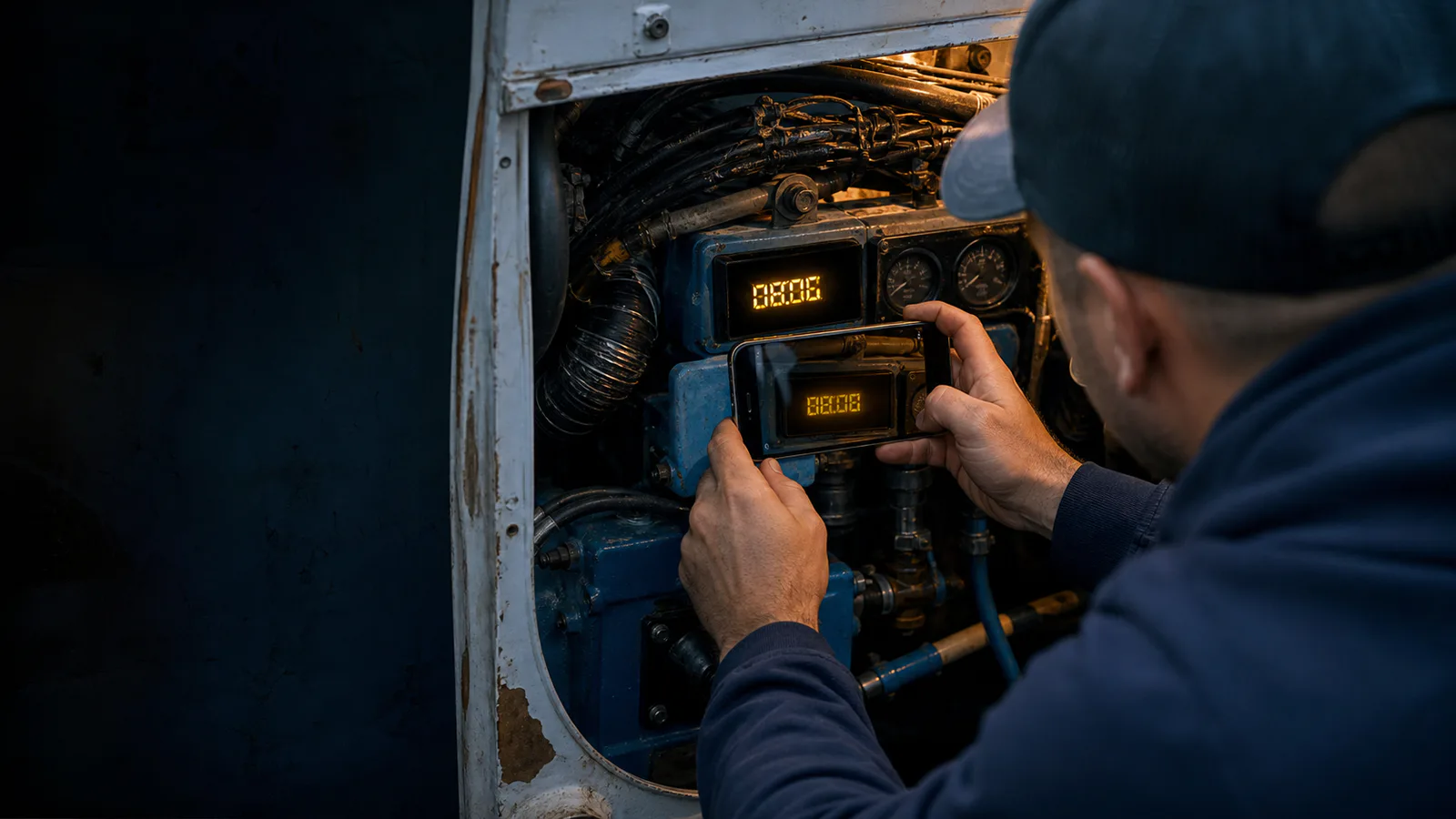
For a twin-engine boat, identical port and starboard panels can easily be confused. The same risk exists when a vessel has separate meters for propulsion engines, a generator, or an auxiliary hydraulic power unit. A useful photo set starts with an overview of the instrument panel or engine space and then moves closer.
Before photographing the meter:
- Confirm which engine or unit is being recorded.
- Turn on the panel or ignition only as required to display the hours.
- Wipe loose salt, dust, and fingerprints from the cover with a suitable soft cloth.
- Avoid spraying cleaner directly onto switches, seams, or electrical components.
- Note whether the engine is stopped or running.
- Check that the phone lens is clean.
- Disable decorative portrait effects and digital filters.
Cleaning should improve visibility without erasing evidence. Deep scratches, moisture behind the lens, corrosion, and cracked covers may be maintenance findings in their own right. Capture an untouched overview before temporarily shading, opening, or otherwise changing the scene.
Use a Three-Frame Capture Pattern
A dependable record needs more than one image. Use a simple three-frame pattern for each reading.
Frame 1: Equipment identity
Photograph the engine, panel, or surrounding installation. Include a durable identifier when it can be shown safely, such as an engine label, generator designation, or port/starboard context. Do not rely solely on a handwritten note placed beside the meter; notes can be moved.
Frame 2: Meter and nearby controls
Move closer while retaining the meter bezel and enough neighboring detail to establish orientation. This middle-distance image helps reviewers connect the tight reading to the overview.
Frame 3: OCR-ready close-up
Fill most of the frame with the display, but keep all edges of the meter visible. Focus on the digit plane rather than scratches on the protective cover. Tap the display on the phone screen to set focus and exposure, then reduce exposure slightly if bright segments are losing detail.
Take at least two close-ups. For electronic displays, take a burst or several frames separated by a moment. Storage is inexpensive; an incorrect service interval is not.
Control Glare Before You Touch the Image
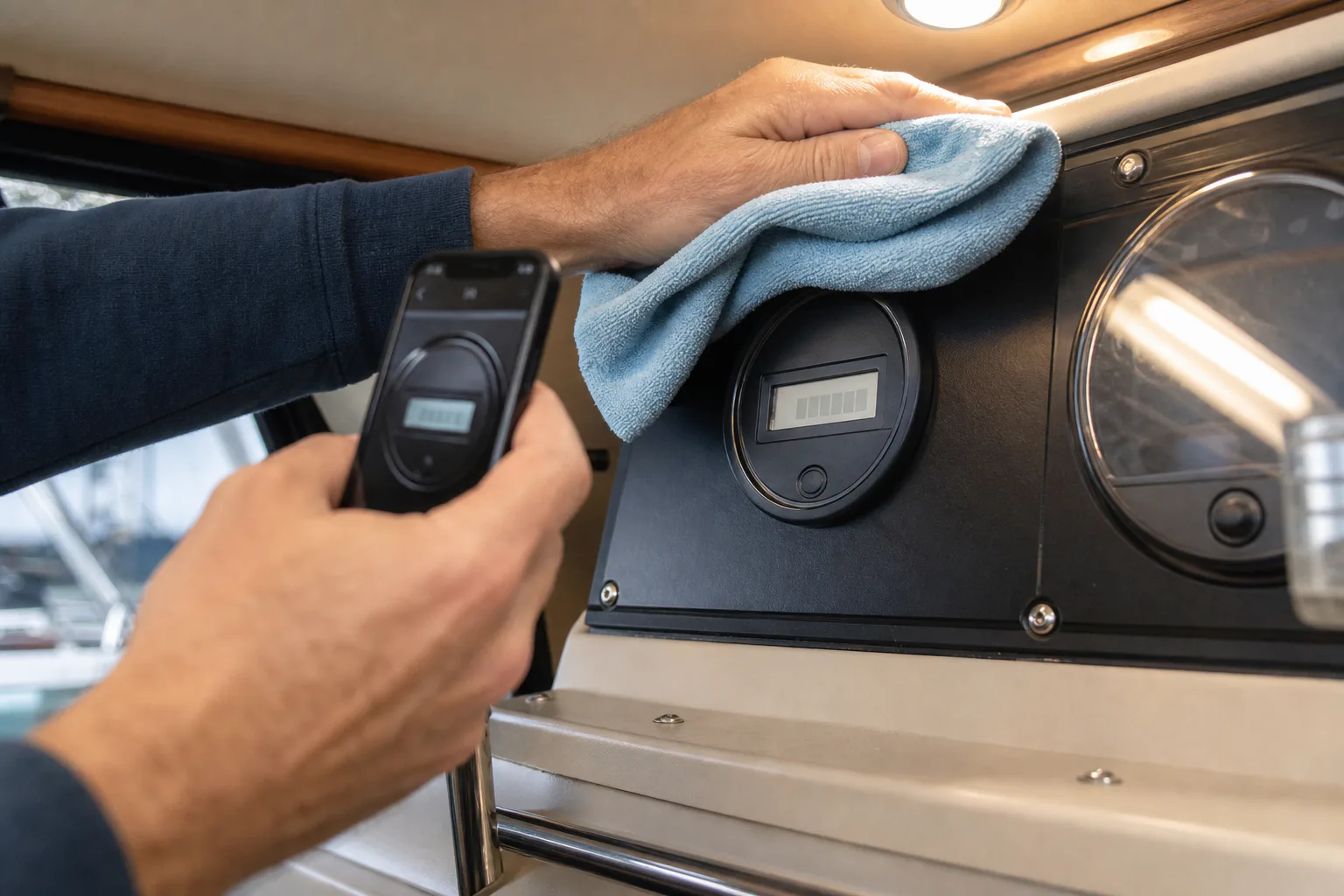
Glare should be solved during capture whenever possible. Editing can increase contrast, but it cannot reconstruct a digit hidden behind a white reflection.
Start by moving the phone a few degrees left, right, up, or down. A slight off-axis position often sends the reflection away from the camera while preserving the digit shapes. Avoid severe angles because they can distort an LCD or make segments disappear.
Use your body, a clean cloth, or a matte card to shade the instrument. Keep loose material away from rotating machinery, hot surfaces, ventilation openings, and energized terminals. In an engine compartment, complete the capture with the machinery stopped unless an operational procedure specifically requires otherwise.
At night or below deck, a phone flash often creates a bright circular reflection. Try indirect light instead. A small lamp bounced from a pale surface can illuminate a mechanical counter without producing a hard hotspot. For an illuminated display, switch off unnecessary cabin lights and expose for the digits.
Polarizing filters can reduce some reflections, but they require caution around LCDs. Rotating a polarizer may darken the display itself or cause uneven colors. If you use one, compare filtered and unfiltered frames rather than assuming the filtered version is more accurate.
Keep Every Digit Large Enough to Inspect
OCR depends heavily on usable pixel detail. A meter occupying a tiny portion of a wide engine-room photograph will rarely produce a trustworthy result, even if the original file has a high megapixel count.
Use optical zoom if the phone has a suitable telephoto camera, or move closer when it is safe. Avoid extreme digital zoom, which enlarges interpolation artifacts along segment edges. Brace your hands against a stable, cool surface if available, but never against wiring, fuel lines, belts, or hot engine parts.
After capture, zoom into the image and inspect the decimal point and every digit. The decimal is especially important because 742.6 and 7426 imply radically different operating histories.
If the source photo contains a large amount of irrelevant panel area, create a focused copy with the image resize tool. Preserve the original file and avoid reducing the crop so aggressively that digit edges become blocky. Resizing should prepare a clear working copy, not replace the evidentiary original.
Make Conservative Image Corrections
Editing an hour-meter photo should reveal captured information, not manufacture certainty. Work on a duplicate and keep corrections restrained.
Useful adjustments include:
- cropping away irrelevant surroundings;
- straightening a mildly tilted display;
- reducing color casts from engine-room lighting;
- lifting shadows around a mechanical counter;
- lowering highlights on a backlit display;
- adding modest local contrast;
- applying light sharpening after resizing.
Avoid heavy denoising because it can erase thin LCD segments or decimal points. Strong sharpening can create false bars around digit edges. Likewise, automatic object removal, generative fill, and aggressive reflection removal are inappropriate for the reading itself. They may produce a plausible-looking number that was never present in the source.
For difficult but non-destructive corrections, the AI photo editor can help prepare a clearer viewing copy. Treat the result as an interpretation aid and retain the untouched capture beside it. Never use an edited derivative as the only evidence of the reading.
File format also matters. JPEG is usually adequate for a well-exposed camera image, but repeatedly saving the same JPEG can introduce ringing around segmented numerals. Keep the original and export only once after correction. If several applications will process the image, convert a working copy to PNG with the image converter to avoid additional lossy generations.
Run OCR as a Candidate Reading, Not a Verdict
Once the close-up is clean and legible, submit it to an image OCR tool. Crop closely enough to emphasize the display, but include the complete meter window so that the software does not confuse surrounding labels with the reading.
OCR output should be treated as a proposed transcription. Verify it character by character against the best original frame.
Common substitutions include:
| Actual character | Possible OCR result | Why it happens |
|---|---|---|
| 0 | 8, 6, or O | Reflections or extra segment artifacts |
| 1 | 7 or I | Bezel lines and angled tops |
| 3 | 8 | Glare appears to close the left side |
| 5 | 6 or 9 | Dirt joins an open segment |
| 7 | 1 | Top segment is overexposed or missing |
| Decimal point | Nothing | Point is too small or hidden by dust |
Compare the reading with the previous log entry. An engine meter should normally move forward, but a surprising value is a signal to investigate rather than permission to silently change the number.
For example, suppose the previous verified reading was 1,284.7 hours and OCR returns 1,238.9. Possible explanations include an OCR transposition, the wrong engine, a replacement meter, a resettable trip display, or an incorrect earlier entry. Preserve both observations and resolve the discrepancy with supporting records.
Cross-Check with Time and Service Evidence
A strong maintenance record uses independent clues. If a log says the engine accumulated 42 hours since the last service, compare that claim with trip records, charter logs, fuel records, or another onboard system when available.
Use these checks:
- Is the reading greater than the last verified total?
- Is the increase plausible for the elapsed period?
- Does the vessel have more than one hour display?
- Was the meter, engine control module, or instrument panel replaced?
- Does the decimal point match the display's normal format?
- Were port and starboard readings captured in a consistent order?
- Does the photo's capture date agree with the written service date?
Metadata is useful but not infallible. Phone clocks can be wrong, exported files may lose metadata, and messaging applications often rename or recompress images. Record the observation date in the maintenance entry itself instead of depending only on EXIF data.
For replacements, never present the new meter value as a seamless continuation without explanation. Record the old meter's final value, the new meter's initial value, replacement date, and any calculated lifetime total as separate fields.
Create a Record That Can Survive an Audit
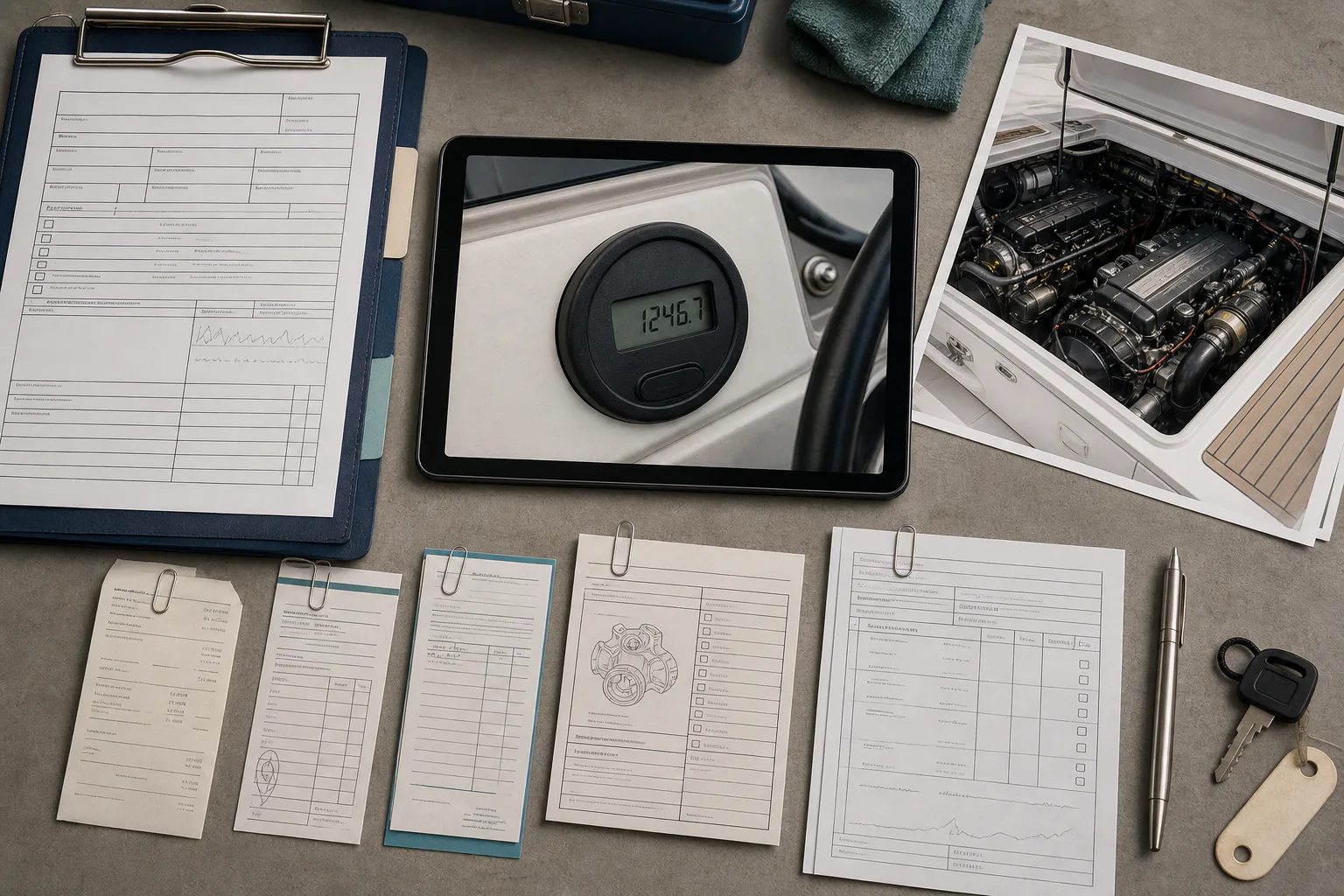
A future owner or technician should be able to understand the reading without reconstructing your intentions. Each entry should include:
- vessel or asset identifier;
- engine or equipment identifier;
- port, starboard, center, generator, or auxiliary designation;
- observed meter reading exactly as displayed;
- unit, normally hours;
- observation date and local time;
- whether the equipment was stopped or operating;
- name or initials of the observer;
- original photo filenames;
- OCR result before manual correction, if retained;
- verified transcription;
- explanation of any uncertainty or discontinuity;
- related maintenance action.
Use filenames that sort predictably and remain meaningful outside a particular app. One practical pattern is:
YYYY-MM-DD_vessel_equipment_hourmeter_sequence.ext
A twin-engine example might use 2026-07-28_seabird_port_hourmeter_01.jpg and 2026-07-28_seabird_port_hourmeter_02.jpg. Avoid spaces, ambiguous abbreviations, and names such as IMG_final_new2.jpg.
When evidence must be shared with a mechanic, manager, buyer, or insurer, assemble the overview, close-up, and service note into a compact PDF. The image-to-PDF tool can turn the ordered images into a portable review packet. Put the context image before the close-up so the relationship is clear. Keep the original image files separately because a PDF export may resize or recompress them.
Handle Uncertain Readings Honestly
Some displays cannot be recovered from a single photograph. Moisture, failed segments, vibration blur, or reflections may leave two plausible readings. Do not select the more convenient value.
Use an uncertainty notation in the log, such as 1,28?.4, followed by the candidate interpretations and the reason for doubt. Then schedule a recapture under better conditions. If the service threshold is close, use the conservative interpretation when deciding whether maintenance is due.
You can classify readings with a simple confidence scale:
| Confidence | Evidence | Recommended action |
|---|---|---|
| High | Every character is visible in multiple frames | Enter and verify normally |
| Moderate | One frame is clear, but glare or flicker affects others | Record with a verification note |
| Low | One or more characters have competing interpretations | Recapture and avoid relying on OCR alone |
| Unusable | Meter identity or reading cannot be established | Do not enter as a verified reading |
This approach separates honest uncertainty from careless data entry. It also prevents a later reviewer from treating a guessed number as a precise observation.
Build a Repeatable Boat-Side Checklist
Before leaving the vessel, confirm the following:
- The correct vessel and engine were identified.
- An overview, middle-distance frame, and close-up were captured.
- The full display and decimal point are visible.
- At least two close-ups agree.
- Glare does not cover any digit.
- Electronic-display frames were checked for missing segments.
- The original images remain unedited.
- Any corrected copy is clearly distinguishable from the original.
- OCR output was manually compared with the display.
- The reading was checked against the previous entry.
- Replacement meters or unusual decreases were documented.
- Filenames connect the files to the asset and date.
- The record includes both the observed value and its unit.
The most reliable hour-meter record is not necessarily the prettiest photograph. It is the record that preserves identity, context, visible evidence, and human verification. A few deliberate frames at the boat can prevent hours of uncertainty later—and make routine engine service decisions far easier to defend.