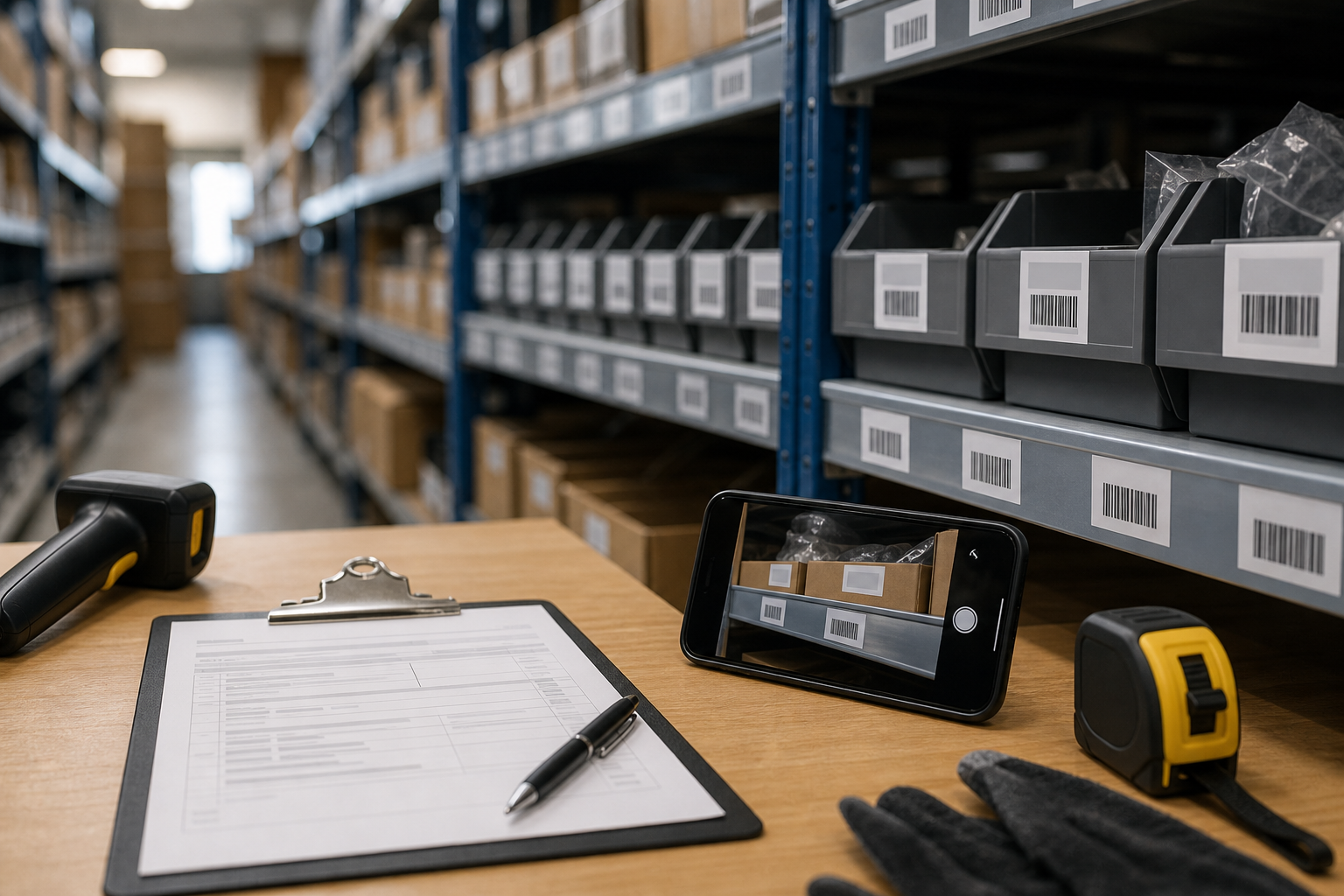
Outdoor Equipment Serial Plate Photo OCR Cleanup for Rental Fleet Records
A practical guide for cleaning mower, generator, trailer, and tool serial plate photos so rental teams can capture accurate OCR text and build reliable asset records.
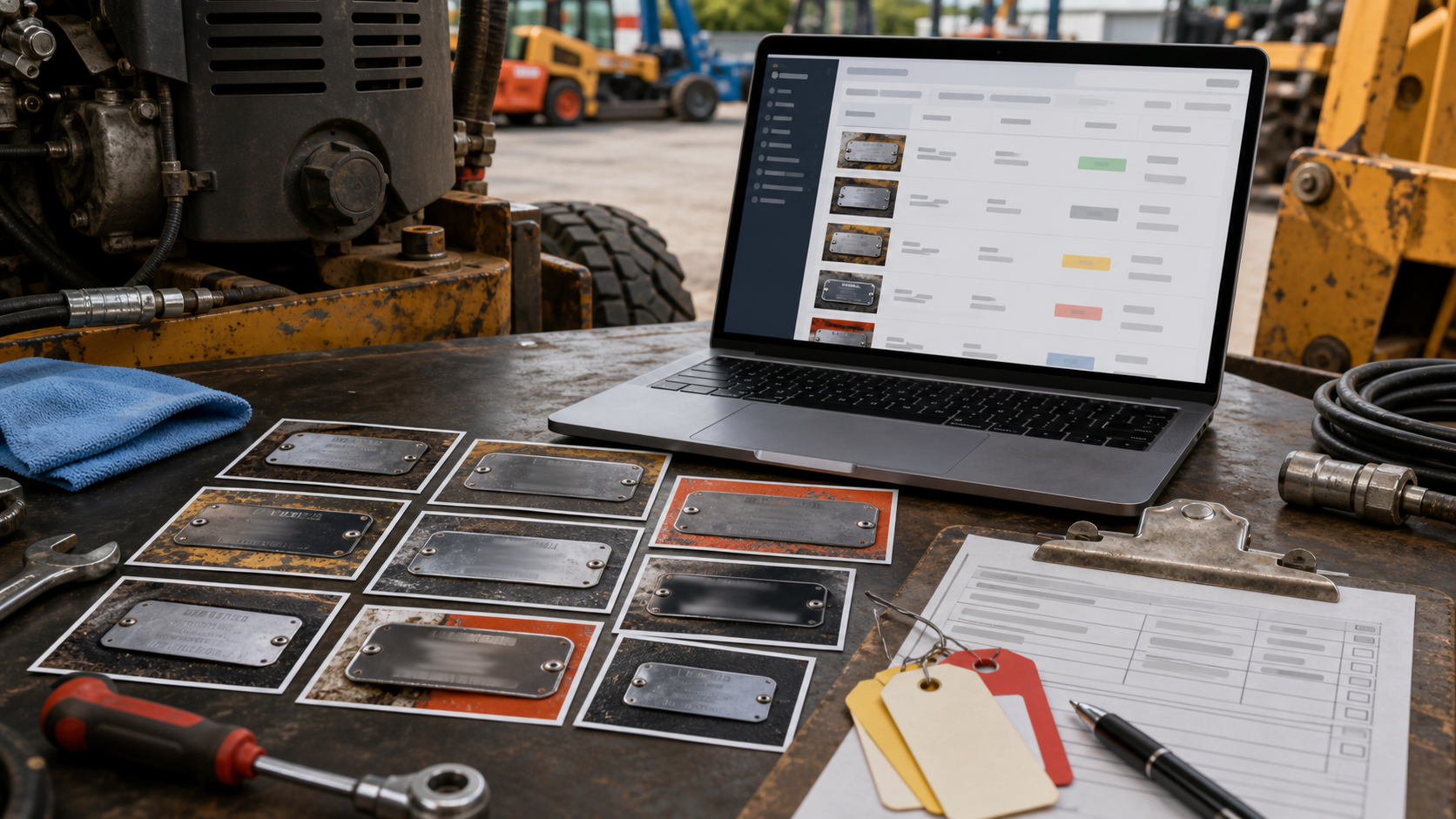
Outdoor Equipment Serial Plate Photo OCR Cleanup for Rental Fleet Records
Rental yards, landscaping suppliers, contractor depots, and municipal equipment pools all run into the same quiet data problem: the serial number exists, but it is trapped on a scratched metal plate under dust, sun glare, mud, engine oil, or faded paint. The team needs that number for intake, service history, insurance claims, warranty checks, billing, and loss prevention. A blurry phone photo is often the only source.
The hard part is not simply taking a picture. It is taking a picture that survives OCR, manual review, and later audit. Serial plates on mowers, compactors, pressure washers, trailers, generators, pumps, ladders, and specialty tools are small, reflective, and inconsistent. Some are engraved. Some are printed. Some are stamped into curved metal. Some sit behind guards or under handles. A human can often guess the characters from context, but a searchable record system needs cleaner evidence.
This guide shows how to prepare equipment serial plate photos for OCR cleanup without turning the process into a full photography project. It is written for practical operations teams: rental counter staff, yard technicians, fleet coordinators, service managers, and anyone who has to turn field photos into useful records. The goal is simple: capture the plate clearly, clean the image conservatively, extract the text, and store both the evidence image and the verified value.
Why Serial Plate OCR Fails in Rental Fleets
OCR tools are good at clean printed documents. Equipment plates are not clean printed documents. They combine several conditions that make text recognition unreliable.
First, the text is often tiny. A serial plate might contain model, manufacturer, rated capacity, voltage, manufacture date, compliance marks, and warning symbols in a space smaller than a business card. If the photo is taken from too far away, the OCR engine receives only a handful of pixels per character.
Second, the plate is reflective. Stainless steel, brushed aluminum, glossy decals, and laminated stickers can throw bright highlights across the exact characters you need. Glare does not just hide letters; it can create false strokes that make an 8 look like a B, a 1 look like an I, or a 5 look like an S.
Third, rental equipment is handled roughly. Plates get scraped by straps, covered with grass clippings, sprayed with concrete dust, or hidden under grease. Even when the equipment is maintained well, the label may be older than the current service log.
Fourth, the surrounding image adds noise. A photo may include hoses, bolts, shadows, warning labels, model badges, handwritten tags, and background shop clutter. OCR can mistakenly read all of it. The result is a messy text output where the actual serial number is mixed with unrelated fragments.
The solution is not to chase a perfect studio image. The practical target is an image that gives OCR enough clean character shapes and gives a human reviewer enough context to confirm the result.
What To Capture Before You Edit
Before any cleanup, decide what evidence you need from the photo. A tight crop of the serial number is useful, but it may not prove which asset it belongs to. A wide shot of the equipment helps with context, but it may be useless for OCR. For reliable records, capture both.
Use a three-photo set when the asset is new to your records or when a disputed charge, warranty issue, or insurance claim is possible:
- A context photo showing the whole item or the key identifying area.
- A medium photo showing where the plate sits on the equipment.
- A close plate photo intended for OCR and human verification.
For routine check-ins, the close plate photo may be enough if the asset already has a trusted internal ID. But during intake, acquisition, disposal, or post-damage review, the wider context prevents confusion later.
If you need to turn several images into a single packet, ConvertAndEdit's image to PDF tool can help assemble the cleaned plate image, context photo, and supporting pictures into one review file. For larger documentation packets, combining those files with PDF merge keeps the equipment evidence together without asking staff to use desktop layout software.
The Serial Plate Capture Checklist
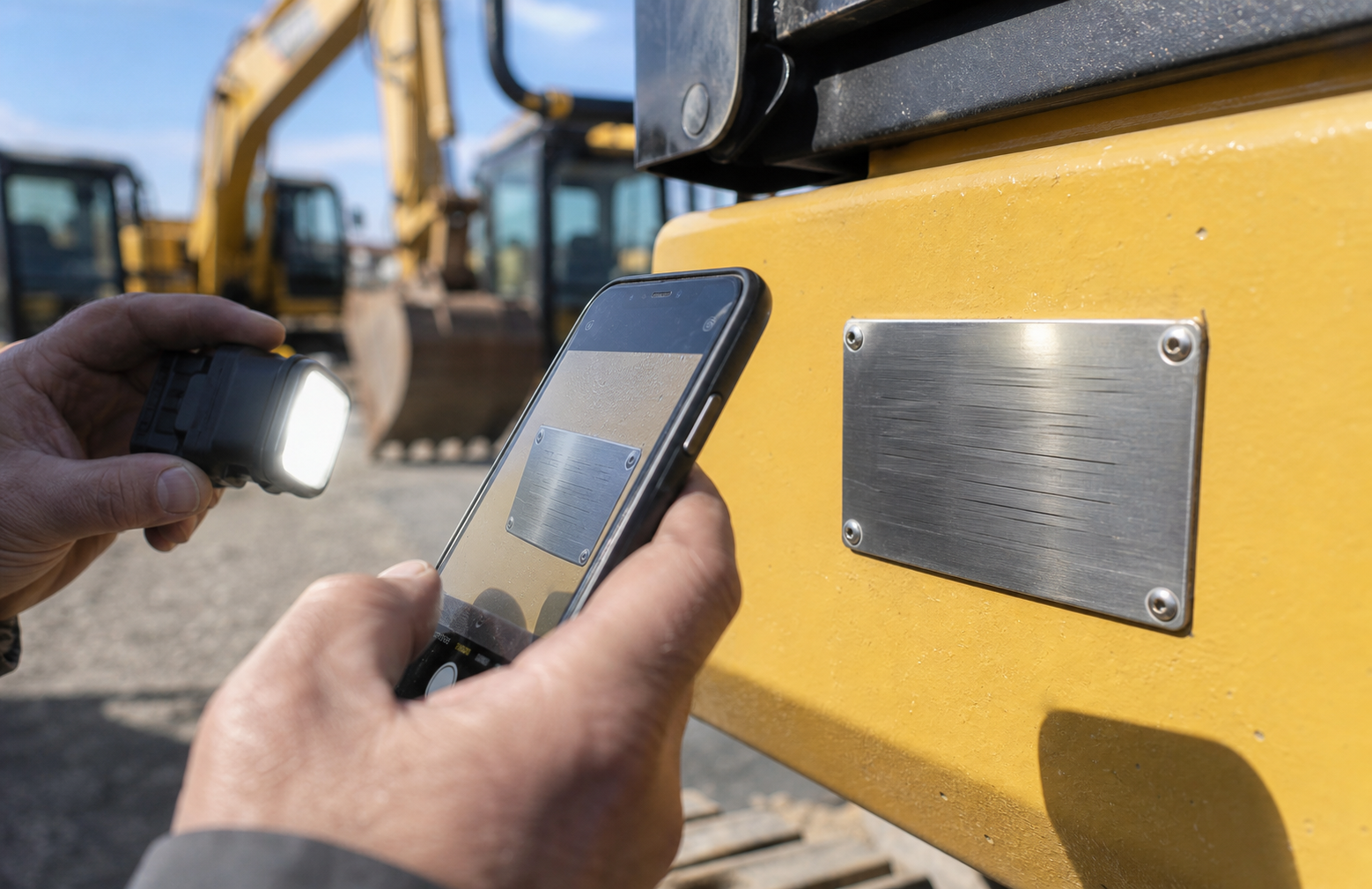
A better source image reduces cleanup time. Most OCR failures begin before the photo reaches the editor, so field capture habits matter.
Use this checklist when photographing equipment plates in a yard, shop, truck bay, or customer site:
| Capture detail | Why it matters | Practical fix |
|---|---|---|
| Fill the frame with the plate | More pixels per character improves OCR | Move closer instead of relying on digital zoom |
| Keep the camera square to the plate | Skewed characters are harder to read | Align the phone edges with the plate edges |
| Avoid direct flash on metal | Flash creates glare and blown highlights | Use side light, shade, or a hand-held diffuser |
| Clean only loose dirt first | Dirt hides strokes and punctuation | Wipe gently without damaging labels |
| Take a second angle | Engraved marks may appear only under angled light | Shoot one straight photo and one angled photo |
| Include the whole plate | Cropped prefixes or suffixes cause wrong IDs | Leave a small border around all edges |
| Check focus before walking away | Motion blur cannot be fully repaired later | Tap to focus and retake if characters look soft |
A common mistake is taking one photo from standing height and expecting software to rescue it. If the plate is low on a mower deck or tucked near a generator frame, crouch down. If the plate is under a handle, move the handle if it is safe. If sunlight is hitting the plate directly, shade it with your body, a clipboard, or a piece of cardboard.
For shiny stamped metal, try a slight angle rather than a perfectly straight flash-lit shot. Engraved characters depend on shadows. A bit of side lighting can make shallow stamping more legible than a flat front-facing image.
Naming Photos So Records Stay Traceable
OCR cleanup is only part of the record problem. Files also need names that staff can trace later. A generic phone filename such as IMG_7421.jpg is not useful once the image leaves the camera roll.
A practical file naming pattern is:
date-location-internalid-view.ext
For example:
2026-06-12-westyard-MOW-184-plate.jpg
2026-06-12-westyard-MOW-184-context.jpg
2026-06-12-westyard-MOW-184-plate-clean.jpg
Keep the original and cleaned versions separate. The original preserves evidence. The cleaned version supports OCR and daily use. If your operation handles many photos, avoid spaces and special characters in file names. Hyphens and short identifiers are easier to search across shared folders, ticket systems, and service notes.
Do not put the OCR result into the only filename until it has been verified. If the OCR reads a zero as the letter O, that wrong value can spread into folders, spreadsheets, and service software. Use the internal asset ID first, then store the verified serial value in the record.
A Practical Cleanup Pass Before OCR
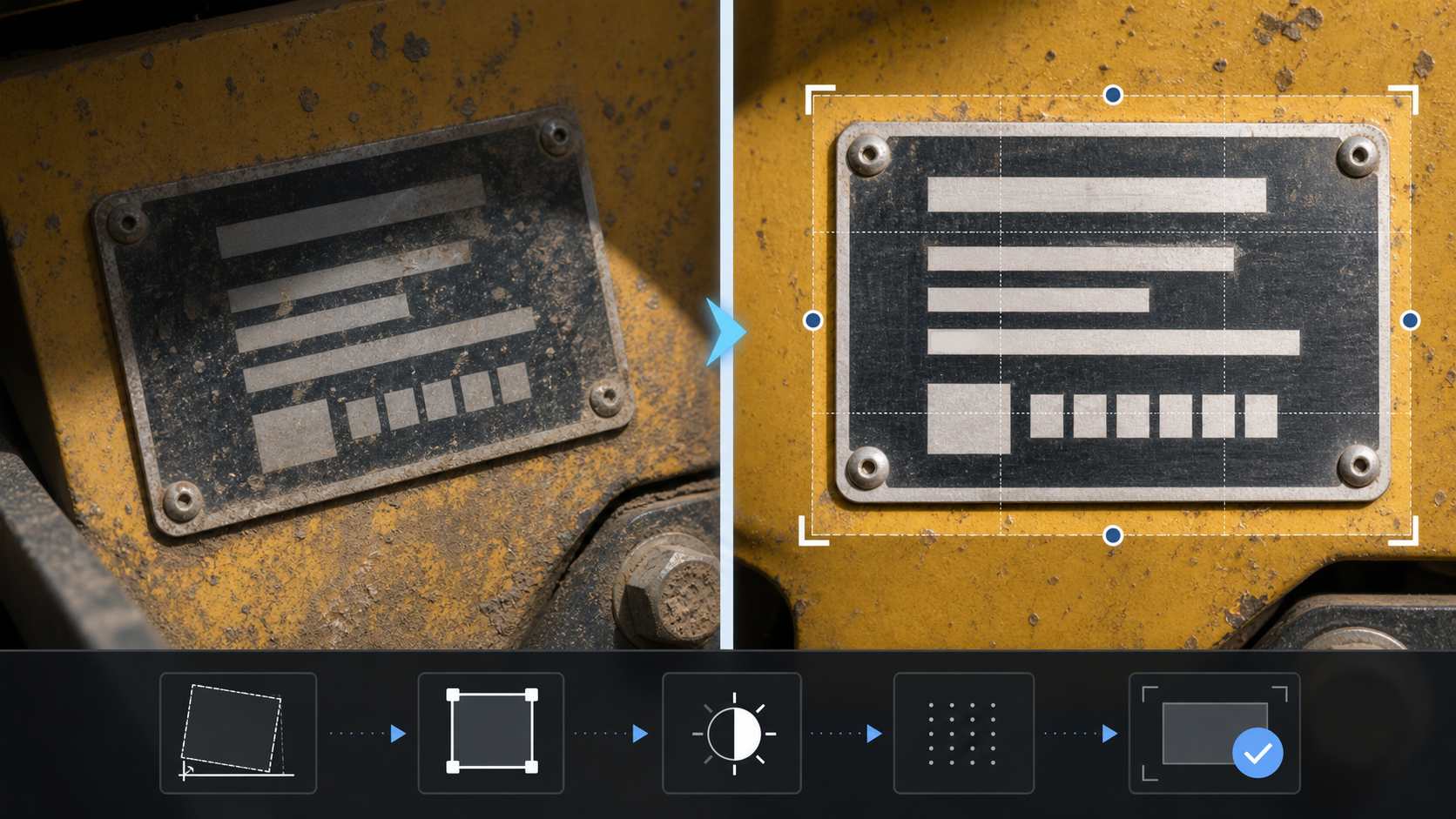
The cleanup pass should improve legibility without changing the evidence. The aim is not to beautify the image. It is to make the characters easier to see while preserving what was actually photographed.
Start with crop and rotation. Remove as much background clutter as possible while keeping the full plate visible. Straighten the plate so the text lines are horizontal. A small amount of border is helpful because it shows the plate edges and prevents accidental character clipping.
Next, adjust brightness and contrast conservatively. If the plate is dark, lift exposure until the background is visible, but do not blow out pale characters. If glare is already white, lowering highlights may help a little, but blown areas rarely contain recoverable detail. That is why a second capture angle is valuable.
Then sharpen only if the image is slightly soft. Heavy sharpening can create artificial edges that confuse OCR. It may make the photo look more dramatic on screen while making characters less trustworthy. Use a light touch.
If the photo is too large for upload or sharing, resize and compress after the legibility pass. ConvertAndEdit's resize image tool is useful when a camera photo is much larger than needed, and compress image can reduce file size for service portals or shared folders. Keep one higher-quality version for the record if the serial number is difficult to read.
For file format changes, use convert image when you need a standard format such as JPG or PNG for a specific system. Avoid repeatedly converting the same file between lossy formats, because each pass can add artifacts around small text.
Cropping Rules for Tiny Plates
Cropping serial plates sounds simple, but aggressive cropping can create new problems. OCR engines often benefit from a clean margin around the target text. Human reviewers also need enough context to see whether a character was cut off.
Use these crop rules:
- Keep all plate borders visible if possible.
- Leave a narrow margin around the plate.
- Remove surrounding hoses, bolts, grass, floor texture, and labels when they are not needed.
- Do not crop off manufacturer prefixes, model labels, or suffix characters.
- If there are multiple useful fields, create one full-plate crop and one serial-number crop.
A full-plate crop helps with context. A serial-number crop helps OCR. For difficult plates, both are worth keeping.
If the serial number sits near other text, try two passes. First, run OCR on the full plate. Then run OCR on a tighter crop containing only the serial number line. Compare the results. The second pass often removes distracting model, warning, and compliance text that the OCR engine would otherwise mix into the output.
Dealing With Glare, Dirt, and Stamping
Different plate problems need different handling. Treat them separately instead of applying one heavy filter to every image.
For glare, editing has limits. If a highlight completely covers characters, retake the photo from another angle. When retaking is not possible, look for partial character shapes in another photo from the same set. Avoid painting over glare or reconstructing missing letters in the image. Record uncertainty in the text field instead.
For dirt, remove loose material before the photo whenever safe. After capture, increase contrast slightly and crop tightly. Do not use cleanup tools that smear character edges. Dirt patterns can sometimes help prove that the photo is original, so keep the unedited image.
For stamped metal, lighting matters more than editing. Side light creates shadows inside the stamped grooves. A straight-on photo under flat light may look clean but hide the marks. If you already have a low-contrast stamped photo, try a black-and-white conversion or mild contrast increase, but check that characters do not merge into the background.
For scratched labels, inspect repeated characters carefully. A scratch can turn one letter into another. This is where human verification is essential. OCR can suggest a value, but the reviewer should compare likely confusions such as O/0, I/1, S/5, B/8, G/6, and Z/2.
OCR Extraction and Human Verification
Once the plate image is cleaned, run OCR on the best crop. ConvertAndEdit's image OCR tool can extract text from image files so staff do not have to retype every character manually. The output should be treated as a draft, not as a final asset record.
Use a verification pass with four checks:
- Compare the OCR result against the photo character by character.
- Confirm whether the value is a serial number, model number, product number, VIN-style identifier, or compliance code.
- Check common character confusions.
- Store uncertainty instead of guessing when the plate is damaged.
A clean record might look like this:
| Field | Example entry |
|---|---|
| Internal asset ID | GEN-042 |
| Equipment type | Portable generator |
| Plate photo | 2026-06-12-westyard-GEN-042-plate-clean.jpg |
| OCR draft | SN A3B80917 |
| Verified serial | A3B80917 |
| Reviewer | Initials or staff ID |
| Verification date | 2026-06-12 |
| Confidence | Clear |
For an uncertain record, do not force false precision. Use a notation such as:
A3B80?17, uncertain character at position 6
Then attach the image and flag the asset for physical recheck. This is much better than silently entering a guessed value that later fails during warranty or recovery searches.
When AI Photo Editing Helps and When It Should Not
AI editing can help clean distracting backgrounds, improve readability, or prepare a clearer visual for an internal report. It should not be used to invent missing serial characters. For equipment records, the edited image must remain a faithful representation of the plate.
ConvertAndEdit's AI photo editor can be useful for non-destructive presentation tasks, such as removing irrelevant clutter around a plate crop for a training document or improving a context image for a report. But for the authoritative record, keep the original image and avoid edits that modify the plate itself.
A good rule is to separate evidence images from communication images:
| Image type | Purpose | Editing limit |
|---|---|---|
| Original capture | Audit evidence | No edits except storage metadata |
| Clean OCR crop | Text extraction and review | Crop, rotate, light contrast, resize |
| Report image | Internal explanation or training | May remove irrelevant background, but not plate content |
If a character is missing because of glare, damage, or low resolution, the fix is a retake or a physical inspection. A generated-looking repair may be visually tidy, but it weakens the record.
Building a Review Packet for Disputes or Service Claims
Some serial plate photos are routine. Others need to support a decision: warranty eligibility, damage responsibility, theft recovery, insurance documentation, manufacturer support, or customer billing. In those cases, prepare a small review packet rather than sending loose images.
A useful packet includes:
- Whole equipment context photo.
- Plate location photo.
- Clean plate crop.
- OCR output or extracted text.
- Reviewer note with uncertainty if any.
- Related damage or service photos when relevant.
Put the cleanest plate crop near the OCR text so the reviewer can compare them quickly. If the packet is going to a manufacturer or partner, keep file size reasonable but avoid crushing the plate image. Thin serial characters do not tolerate aggressive compression.
For mixed image and document packets, create image PDFs with image to PDF, then combine supporting files with PDF merge. This keeps the evidence in one place and reduces the chance that the most important plate photo gets separated from the claim.
File Size Without Destroying Characters
Large phone photos can be inconvenient, especially when staff upload them through service portals, email, or shared maintenance systems. But small serial text is one of the first things damaged by compression. The trick is to reduce waste without damaging the evidence.
Use these settings principles:
| Need | Better choice | Avoid |
|---|---|---|
| OCR from tiny text | Higher resolution crop | Tiny resized full photo |
| Email attachment | Moderate JPG compression | Extreme compression artifacts |
| Audit storage | Original plus clean copy | Only compressed copy |
| Portal upload limit | Resize dimensions carefully | Repeated save cycles |
| Text-heavy plate | PNG or high-quality JPG | Low-quality JPG |
If the full camera image is 4000 pixels wide but the plate occupies only 300 pixels, resizing the whole image smaller will make OCR worse. Crop first, then resize only if the crop is still larger than needed. A plate crop around 1200 to 2000 pixels wide is often more useful than a massive full-frame photo where the plate is tiny.
When using compress image, inspect the output at full size. Look around character edges. If you see blocky halos, fuzzy strokes, or broken punctuation, increase quality or keep the higher-resolution version for OCR.
A Small Team Process That Actually Holds Up
A reliable serial plate system does not need a complicated platform. It needs repeatable habits and a few clear roles.
Assign capture responsibility. The person who physically handles intake or check-in should know when to photograph the plate. If the plate is missing, blocked, or unreadable, that should be recorded immediately.
Assign verification responsibility. The person who enters the serial number should compare the OCR draft against the image. This can be the same person in a small operation, but the task should be explicit.
Set a minimum photo standard. For example: whole plate visible, characters in focus, no direct glare across the serial field, and internal asset ID included in the filename or record.
Store originals. Even if your day-to-day system uses cleaned crops, keep the original capture in a dated folder or asset record. Originals matter when a cleaned image is questioned.
Use exception flags. If the plate is missing, damaged, painted over, or unreadable, mark the record as an exception instead of forcing a guessed serial. Exceptions are operationally annoying, but they are easier to fix than bad data.
A simple status set is enough:
| Status | Meaning | Next action |
|---|---|---|
| Clear | Serial verified from readable plate | No action |
| Needs retake | Photo is blurry, glared, or incomplete | Rephotograph asset |
| Plate damaged | Physical plate is partly unreadable | Inspect, contact manufacturer, or add note |
| Plate missing | No serial plate found | Escalate according to asset policy |
| Data conflict | Plate does not match existing record | Review acquisition or service history |
Common Mistakes To Avoid
The most damaging mistakes are usually small and repeated across many assets.
Do not rely on OCR alone. OCR is a speed aid, not the authority. The authority is the verified comparison between the plate image and the record.
Do not overwrite the original. Once the original is gone, you cannot prove what the camera captured before edits.
Do not crop too tightly. Missing one prefix or suffix character can turn a valid serial into a dead end.
Do not use beauty filters on evidence photos. Smoothing, denoising, or automatic enhancement can blur stamped characters and alter scratches that help interpretation.
Do not mix model and serial fields. Many plates display several similar identifiers. Train staff to locate labels such as serial, S/N, product ID, model, type, and asset number. When labels are unreadable, record which field is uncertain.
Do not compress before OCR. Extract text from the cleanest practical image, then create smaller copies for sharing if needed.
Example: Generator Intake Photo Set
Imagine a rental company receives a used portable generator. The plate is on the frame, slightly scratched, with dust around the rivets. The team needs to add the unit to the rental system.
A solid intake set would include:
- A front three-quarter photo of the generator.
- A medium photo showing the plate on the frame.
- A close photo of the full plate in shade.
- A second close photo from a slight side angle to reveal stamped marks.
- A cleaned crop for OCR.
The file names might be:
2026-06-12-westyard-GEN-042-context.jpg
2026-06-12-westyard-GEN-042-location.jpg
2026-06-12-westyard-GEN-042-plate-original.jpg
2026-06-12-westyard-GEN-042-plate-angle.jpg
2026-06-12-westyard-GEN-042-plate-clean.jpg
After OCR, the draft text is reviewed against the crop. The reviewer notices that OCR returned A3B8O917, but the plate shows A3B80917. The corrected value is entered into the record, and the original plus cleaned crop are stored. That one correction prevents future warranty, parts, and recovery searches from failing.
Final Preflight Before You Save the Record
Before the serial value becomes part of the asset record, run a final preflight:
- Is the plate photo in focus?
- Is the full serial field visible?
- Is the cleaned crop linked to the original?
- Did a person verify the OCR output?
- Are uncertain characters marked clearly?
- Is the file named with the date and internal asset ID?
- Is the image stored where service, rental, and admin staff can find it?
This preflight takes less than a minute when the photos are good. It can save hours when an asset is sold, stolen, damaged, repaired, or disputed.
The Practical Standard
For rental fleet records, the best serial plate photo is not the prettiest one. It is the one that lets a future reviewer answer three questions quickly: which asset is this, what does the plate actually show, and how confident are we in the recorded value?
A practical standard combines careful capture, conservative cleanup, OCR extraction, and human verification. Use the original photo as evidence, the cleaned crop as the readable working image, and the verified text as the operational record. That separation keeps the process fast without letting bad data slip into the system.
When equipment moves through many hands, small record habits matter. A readable plate image can support maintenance history, customer accountability, warranty claims, and asset recovery long after the person who took the photo has forgotten the job. Clean the image enough to read it, keep the source intact, and verify every character before it becomes official.