Utility Meter Photo OCR Cleanup for Property Turnover Logs
A practical guide for turning water, gas, and electric meter photos into readable, searchable property turnover records without losing key numbers.

Utility Meter Photo OCR Cleanup for Property Turnover Logs
Utility meter photos look simple until they become evidence. A property manager, landlord, maintenance coordinator, or facilities assistant may only need one clear number from each image: the water reading, the gas reading, the electric reading, or the serial number. But when that number later supports a tenant deposit calculation, a utility account transfer, a vacancy report, or a dispute with a service provider, the photo has to do more than exist. It needs to be readable, searchable, and connected to the correct unit at the correct time.
This guide is for teams that capture meter photos during move-ins, move-outs, inspections, short-term rental turnovers, commercial suite handovers, and small portfolio audits. The goal is not to build a complex document system. The goal is to turn ordinary phone photos into reliable records using a consistent capture, cleanup, OCR, and PDF handoff method.
The niche matters because meter photos are unusually easy to misunderstand. Many meters have multiple number rows, manufacturer marks, spinning dials, decimal wheels, barcode plates, old seals, and shadows from pipes or cabinets. A blurry image might still look fine in a camera roll but fail when someone tries to read it from a compressed email attachment three months later.
With a few habits and the right conversion steps, you can make meter records far easier to audit. ConvertAndEdit tools such as Image OCR, Resize Image, Compress Image, AI Photo Editor, and Image to PDF can support this kind of practical document cleanup without forcing the team into specialist software.
When Meter Photos Become Official Records
Meter photos often start as quick proof: a superintendent snaps the water meter, a leasing agent photographs the electric display, or a maintenance technician captures the gas meter before a lock change. The image may be sent in a chat thread, added to a shared folder, or attached to an email.
That casual capture becomes more serious when it is used for:
- Move-in and move-out utility readings
- Tenant billing adjustments
- Deposit disputes
- Utility account transfers
- Vacancy loss tracking
- Submetered commercial spaces
- Owner reporting for managed properties
- Maintenance records after meter replacement
- Insurance or service provider claims
In those situations, the photo is useful only if the reading is visible, the unit identity is clear, and the file can be found later. A folder full of images named IMG_4821.jpg is weak evidence. A searchable PDF packet with readable meter photos, extracted text, and stable filenames is much stronger.
The best time to make a clean record is immediately after capture, while the person still knows which meter belongs to which unit. Waiting until the end of the month increases the risk of mixing up buildings, suites, basements, or meter banks.
What Makes Meter Photos Hard to Read
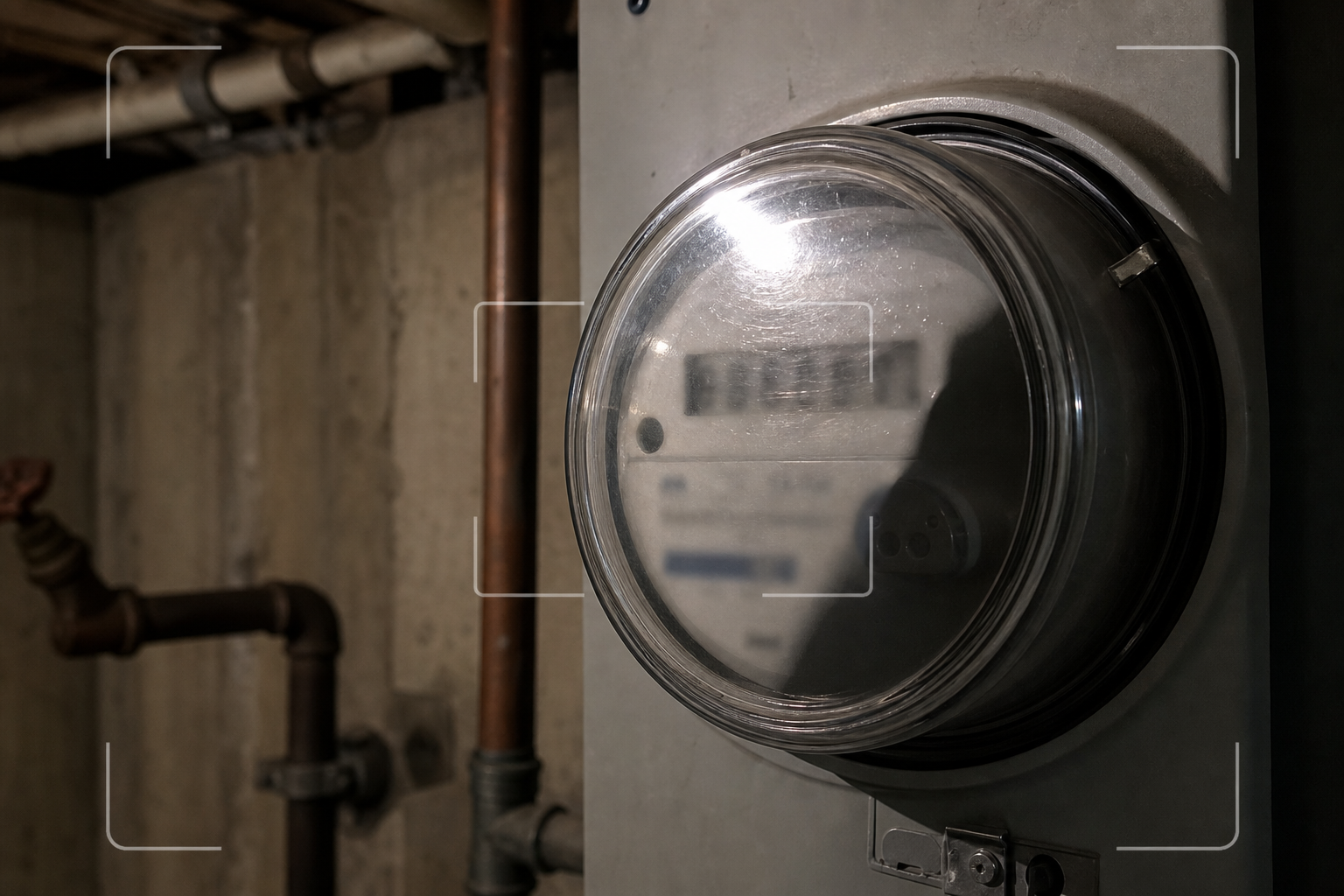
Utility meters are unfriendly subjects for phone cameras. They sit in cramped utility closets, dim basements, garages, outdoor boxes, and mechanical rooms. They are often mounted behind pipes, conduit, insulation, shelves, or protective covers. Even a careful person may get a photo that looks readable on a phone but fails on a desktop monitor or in OCR.
Common problems include:
- Glare on glass or plastic meter covers
- Reflections from phone flashlights
- Dust, scratches, and condensation
- Low contrast between digits and background
- Angled photos that distort number rows
- Multiple visible meters in one frame
- Old analog dials that require interpretation
- Digital displays caught mid-refresh
- Serial numbers printed near unrelated manufacturer text
- Handwritten tags near official meter labels
- Cropped photos that remove the unit context
OCR adds another layer of risk. A utility reading such as 008713 can be misread as 08713, 00B713, or 0087I3. A serial number may mix letters and digits in ways that are easy to confuse: O and 0, I and 1, S and 5, B and 8.
The goal is not blind trust in OCR. The goal is assisted extraction: make the image clean enough that OCR produces useful text, then review the result against the original image before storing it.
Capture Rules Before Editing
Good OCR starts before the file reaches any editing tool. A poor image can sometimes be rescued, but capture quality is cheaper than repair.
Use these field rules when taking utility meter photos:
- Take one wide context photo first.
- Take one close reading photo second.
- Avoid using flash directly against glass.
- Move slightly left or right to reduce reflections.
- Keep the phone parallel to the meter face when possible.
- Tap to focus on the digits, not the pipe or wall.
- Include the meter number or tag when it is near the reading.
- Capture the unit door, suite label, or panel label separately if needed.
- Retake immediately if the digits look soft when zoomed in.
A two-photo set is often better than one overloaded photo. The wide image proves location and context. The close image supports OCR and reading verification. Trying to capture the meter bank, unit label, serial number, and reading in one frame usually produces a mediocre record.
For analog dial meters, take an extra photo from straight on. Dial readings can be subtle, and the hand position may be disputed if the image is angled. For digital meters, wait a moment and take two photos if the display cycles through multiple screens.
File Naming That Prevents Unit Mix-Ups
Before OCR, fix the naming problem. If the file name does not carry enough context, the record becomes fragile.
A practical meter photo naming pattern is:
property-unit-meter-type-date-reading-status.jpg
Examples:
oak-terrace-2b-electric-2026-06-15-008713-moveout.jpgnorthyard-suite-104-water-2026-06-15-000482-turnover.jpgelm-house-basement-gas-2026-06-15-12690-inspection.jpg
If the reading is not yet verified, use a placeholder:
oak-terrace-2b-electric-2026-06-15-unverified-moveout.jpg
This avoids pretending that an uncertain number is final. After OCR and review, the file can be renamed or the verified value can be recorded in the PDF notes.
Keep names lowercase, avoid spaces, and use hyphens. This makes files easier to sort and less likely to break when attached to emails, uploaded to portals, or downloaded from shared storage.
Cleanup Priorities Before OCR
Do not edit meter photos for beauty. Edit for legibility and record integrity. The image should still look like a real capture of a real meter, not a heavily altered graphic.
The most useful cleanup tasks are:
- Crop away unrelated wall, floor, or cabinet area.
- Keep enough surrounding context to prove which meter is shown.
- Straighten the image so number rows are horizontal.
- Increase exposure slightly if digits are buried in shadow.
- Increase contrast carefully around the reading area.
- Reduce file size without destroying thin digit strokes.
- Avoid filters that invent detail or change number shapes.
If the image includes irrelevant personal information, tenant names, phone numbers, or unrelated documents in the background, crop them out. If cropping is not enough, use an editor to remove or obscure irrelevant material while preserving the meter face.
For cleanup that requires visual adjustments, AI Photo Editor can help with simple corrections such as reducing distracting background clutter or improving readability. Use conservative edits. Do not ask an editor to recreate, replace, or guess digits. A record that looks cleaner but changes the evidence is worse than a messy original.
OCR Setup for Meter Images
Once the photo is cropped and readable, run OCR on the image with Image OCR. The result should be treated as a draft extraction, not an automatic truth source.
For each meter photo, capture these fields if visible:
- Property name or code
- Unit, suite, or space identifier
- Meter type: water, electric, gas, heat, solar, or submeter
- Reading value
- Reading unit if visible, such as kWh, gallons, cubic feet, or therms
- Meter serial number
- Photo date
- Capture reason: move-in, move-out, audit, replacement, inspection
- Verification status
OCR may return extra manufacturer text, barcode numbers, warning labels, or certification marks. Keep the useful items and remove noise from your final notes.
A simple extracted note might look like this:
Oak Terrace 2B | Electric | Photo date 2026-06-15 | Reading 008713 kWh | Meter serial A19K80421 | Move-out | Verified from image
If OCR is uncertain, say so:
Reading appears to be 008713 kWh, but final digit requires manual review.
That kind of note is more useful than a false certainty.
Reading Verification Checklist
Before storing a meter photo as a property record, use a short review checklist. This prevents most avoidable disputes.
| Check | Why it matters | Pass condition |
|---|---|---|
| Unit context is clear | Prevents assigning a reading to the wrong tenant or suite | File name, folder, or companion photo identifies the unit |
| Meter type is known | Water, gas, and electric readings are not interchangeable | Type is visible or recorded in notes |
| Reading digits are legible | The main evidence must be readable without guessing | Digits can be read at normal desktop zoom |
| OCR text was reviewed | OCR can confuse similar characters | Extracted text matches the visible photo |
| Date is recorded | Readings are time-sensitive | File metadata, filename, or notes include the date |
| Original image is preserved | Edited copies may be questioned | Raw or minimally edited source remains available |
| Final packet is searchable | Future staff need to find the record quickly | PDF text or filenames include unit and meter type |
The checklist should be short enough that people actually use it. For a small portfolio, a spreadsheet column for verified yes/no may be enough. For larger operations, a property management platform may hold the final readings while the cleaned PDF packet acts as supporting evidence.
Resizing Without Losing Evidence
Meter photos from modern phones can be huge. A single image may be 3 MB to 12 MB, and a turnover folder can quickly become painful to send or archive. Resizing helps, but aggressive resizing can destroy the exact digits you need.
A good rule is to preserve enough pixel detail that the reading remains clear at 100 percent zoom on a laptop. For most close meter photos, a long edge between 1600 and 2400 pixels is often enough. For wide context photos that include multiple meters, keep more resolution or crop into separate close images.
Use Resize Image when photos are unnecessarily large. Resize copies, not the only original. Keep an original folder and an edited folder so you can return to the source if a question comes up later.
Avoid these mistakes:
- Do not resize a blurry image and expect it to become readable.
- Do not shrink wide meter bank photos until individual labels disappear.
- Do not crop away serial numbers if they may identify the meter.
- Do not rely on thumbnails in chat apps as official evidence.
If the team captures many photos in the field, set a practical target size for edited records. For example, original photos stay untouched in cloud storage, while reviewed copies are resized for PDF packets and daily handoffs.
Compression Settings for Thin Digits
Compression is useful, but meter digits are vulnerable. Thin strokes, LCD segments, and small engraved serial numbers can become blocky or smeared when compressed too hard.
Use Compress Image after cropping and resizing. Then zoom into the reading area and compare the compressed copy against the original. The compressed version should still show clear digit boundaries.
Use this decision table when choosing a compression target:
| Use case | Suggested approach | Risk to watch |
|---|---|---|
| Internal archive | Moderate compression | Keep source files separately |
| Email attachment | Stronger compression if digits remain clear | Email clients may recompress previews |
| Legal or dispute packet | Light compression | Avoid any visible degradation around digits |
| Shared maintenance note | Moderate compression | Make sure unit and reading remain visible |
| OCR input image | Light to moderate compression | OCR accuracy may drop on segment displays |
If the reading area contains very fine text, compression should be conservative. Saving 200 KB is not worth losing the digit that determines a tenant charge.
A Turnover Packet Structure That Stays Searchable
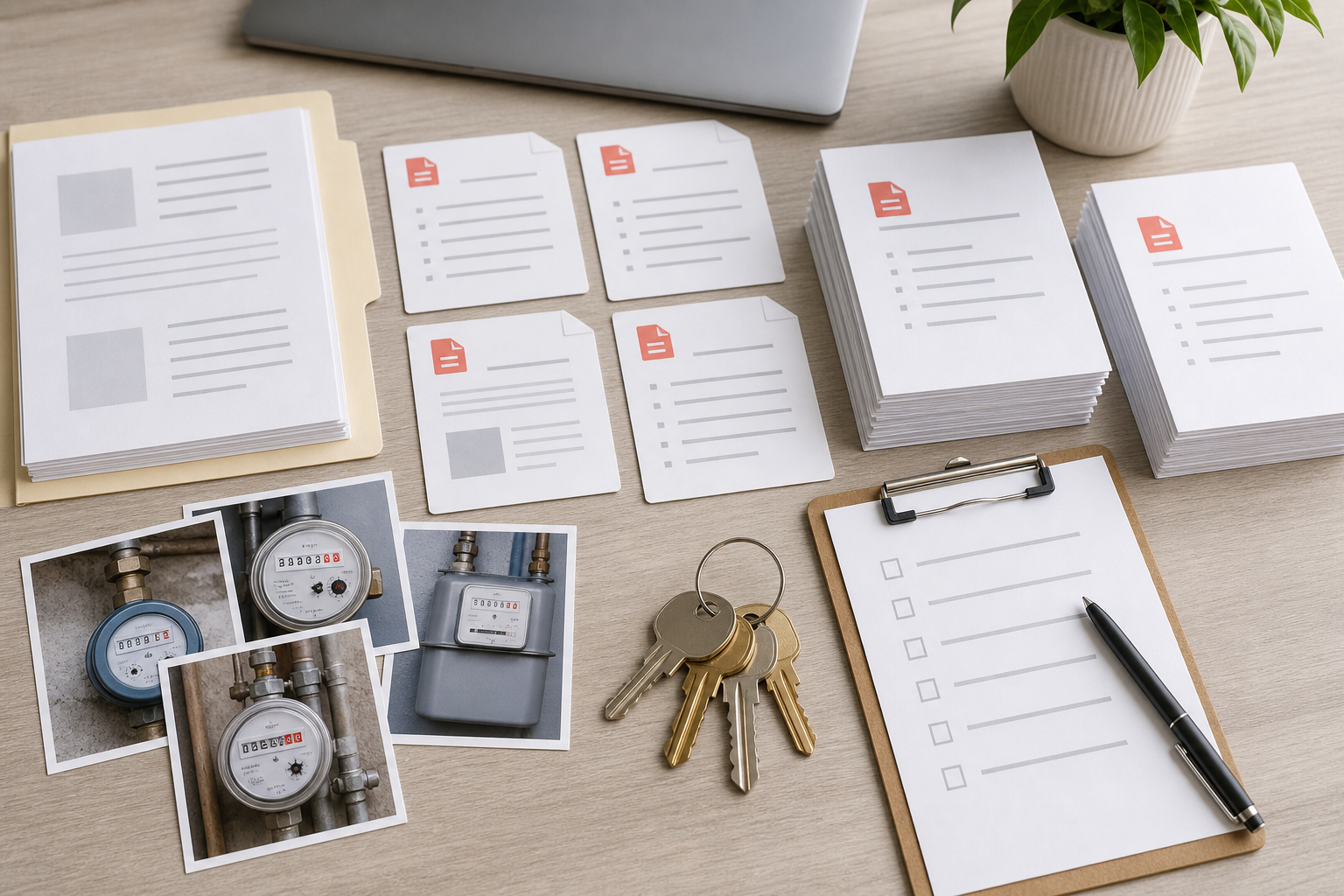
A clean property turnover packet should let someone answer three questions quickly:
- Which unit or space is this?
- What was the reading and when was it captured?
- Where is the supporting image?
A practical packet can be assembled as a PDF using Image to PDF. Keep the layout simple. Each meter record can have one page or a small group of pages:
- Page 1: unit context or door label photo
- Page 2: wide meter location photo
- Page 3: close meter reading photo
- Page 4: optional serial number or service tag photo
For small residential units, you may combine electric, gas, and water images into one section. For commercial properties, separate each utility type because multiple suites may share mechanical spaces.
Use plain headings in the PDF notes or surrounding file names. Examples:
Unit 2B electric move-out readingSuite 104 water turnover readingBuilding A gas meter replacement record
If OCR text is saved beside the images, the packet becomes much easier to search later. Searching for 2B electric, A19K80421, or move-out 2026-06-15 should lead to the correct page.
Suggested Folder Layout
A consistent folder layout prevents last-minute confusion. Here is a simple structure for a property turnover day:
2026-06-15-oak-terrace-turnover/
  originals/
    unit-2b/
    unit-3a/
  cleaned/
    unit-2b/
    unit-3a/
  ocr-notes/
  pdf-packets/
The originals folder stores untouched photos. The cleaned folder stores cropped, resized, and compressed copies. The ocr-notes folder stores extracted text or review notes. The pdf-packets folder stores final files sent to owners, accounting, or leasing.
This structure scales from one building to a small portfolio because it separates raw evidence from edited records. It also makes it clear which files are ready to send and which still need review.
Handling Meter Banks and Shared Utility Rooms
Meter banks are the highest-risk situation because several meters appear in one photo. The camera may capture ten electric meters, each with a small unit label. A person in the field may know which is which, but the photo may not make that obvious later.
Use this method for meter banks:
- Take one wide photo of the whole bank.
- Take a closer photo of the specific meter and its nearby label.
- Take a tight photo of the reading.
- If the unit label is handwritten or hard to read, photograph the unit door or panel schedule separately.
- Name the files before leaving the property, or add notes immediately.
Do not depend on memory. A meter bank with similar labels can become impossible to reconstruct later.
For shared utility rooms, include context that proves location. A photo of only a meter face may be technically readable but weak as a property record. A wide companion image showing the room, panel, or meter row adds useful support.
Analog Dial Meter Notes
Analog dial meters need extra care because the reading is not always a simple row of digits. Some dials rotate clockwise and others counterclockwise. If a hand sits between numbers, the lower number is usually used, but local utility instructions may vary.
For analog meters:
- Capture all dials in one straight-on frame.
- Take a second closer image if any dial is ambiguous.
- Do not use OCR as the only interpretation method.
- Record the reading as manually verified.
- Keep the original image for later review.
If the team does not regularly read analog meters, create a short internal reference based on the utility provider's own instructions. Do not guess from memory when a billing dispute may follow.
Digital Display Timing Issues
Digital meters can cycle through readings, test screens, rate codes, and blank refresh moments. A photo taken at the wrong second may capture a partial display or a value that is not the consumption reading.
For digital meters:
- Watch the display cycle before taking the final photo.
- Capture the screen that shows the consumption reading.
- Take two images a few seconds apart if the display changes.
- Include visible units such as kWh if shown.
- Note any code or screen label that appears near the reading.
If the display is backlit, exposure may need adjustment. A phone camera may overexpose the digits, especially in a dark room. Tap the display and reduce exposure slightly if the digits glow into unreadable blocks.
Redaction and Privacy Boundaries
Meter photos usually do not contain sensitive personal data, but the surrounding scene can. A utility room might include tenant mail, package labels, access codes, lease documents, or whiteboard notes. A hallway photo might show apartment numbers, faces, or security equipment.
Before sharing a packet outside the organization, review backgrounds. Crop or edit out unrelated information. If a detail is not needed to prove the meter reading, it should not be included in an external packet.
However, do not remove details that establish the record. For example, a unit label beside the meter may be essential. A service tag or serial number may identify the meter. The balance is simple: keep evidence, remove unrelated exposure.
Common OCR Mistakes and How to Catch Them
Meter OCR errors are predictable. Build the review around the mistakes most likely to occur.
| OCR confusion | Example | Review habit |
|---|---|---|
| Zero and letter O | 0AK vs OAK | Check serial numbers against visible plate |
| One and letter I | I137 vs 1137 | Zoom into vertical strokes |
| Five and S | S402 vs 5402 | Compare with nearby digits |
| Eight and B | B19 vs 819 | Inspect closed loops |
| Missing leading zeros | 8713 instead of 008713 | Preserve full meter reading as shown |
| Decimal placement | 482.6 vs 4826 | Look for decimal wheels or printed marks |
| Extra label numbers | Barcode read as meter reading | Confirm which number is the consumption value |
Leading zeros deserve special attention. In many property records, a reading with leading zeros should be stored exactly as displayed. Dropping zeros may not change the numeric value, but it can make verification harder later because the stored value no longer visually matches the photo.
A Practical Review Example
Imagine a leasing agent captures three photos at a move-out inspection for Unit 2B:
- A hallway photo showing the unit door
- A wide utility closet photo showing two electric meters
- A close electric meter photo showing the reading
The close photo is slightly tilted and includes a lot of wall space. The editor crops to the meter face and nearby unit label, straightens the image, and lightly increases contrast. The image is resized to a practical dimension, then compressed carefully.
OCR returns:
OAK TERRACE 2B ELECTRIC 0087I3 KWH A19K8042I
Manual review catches two likely errors:
0087I3should be008713A19K8042Ishould beA19K80421
The final note becomes:
Oak Terrace Unit 2B | Electric | Move-out | 2026-06-15 | Reading 008713 kWh | Serial A19K80421 | OCR reviewed and corrected from image
The final PDF contains the door context photo, wide closet photo, close meter photo, and the reviewed note. Months later, accounting can search the packet for 2B, 008713, or the serial number.
Quality Standards for Small Teams
A small team does not need a complicated policy. It needs a repeatable standard that everyone can follow under time pressure.
Use these quality rules:
- Every meter record needs a unit or space identifier.
- Every final reading needs a source image.
- Every OCR result needs human review.
- Every edited image should preserve the original meaning.
- Every final packet should be searchable by unit and meter type.
- Every original photo should remain available until the record is no longer needed.
For a small property management office, this may be enough. For a larger team, add a second reviewer for disputed move-outs, commercial submeters, or high-value utility adjustments.
When to Use Images, PDFs, and Text Notes
Different formats serve different purposes. Do not force everything into one file type too early.
| Format | Best use | Limitation |
|---|---|---|
| Original image | Raw evidence | Hard to search if unnamed |
| Cleaned image | Review and sharing | Must not replace the original source |
| OCR text note | Search and quick reference | Needs manual verification |
| PDF packet | Handoff to owners, accounting, or tenants | Can become bulky if images are not prepared |
| Spreadsheet row | Portfolio tracking | Weak without image evidence |
The strongest record often combines all five: originals for preservation, cleaned images for readability, OCR notes for search, PDF packets for handoff, and spreadsheet rows for tracking.
Final Preflight Before Sending
Before sending a turnover packet to an owner, accountant, tenant, or utility contact, run a final preflight.
Check that:
- The PDF opens correctly.
- Pages are in a logical order.
- Unit names match the file names.
- Meter types are not mixed up.
- Readings in notes match the visible images.
- OCR corrections are clearly reviewed.
- Image compression has not damaged small digits.
- Irrelevant private information is not visible.
- The file name includes property, date, and purpose.
A good final PDF name might be:
oak-terrace-unit-2b-utility-readings-moveout-2026-06-15.pdf
That name is long, but it is useful. It tells the next person what the file contains before they open it.
A Simple Tool Path
Here is a lean tool path for most utility meter records:
- Capture original photos in the field.
- Rename or folder them by property and unit.
- Crop and clean only what improves legibility.
- Use Resize Image for oversized copies.
- Use Compress Image after confirming digits remain clear.
- Run Image OCR on the close reading photo.
- Manually review extracted readings and serial numbers.
- Build a final packet with Image to PDF.
- Store originals, cleaned images, OCR notes, and the PDF in predictable folders.
This path keeps the record practical. It avoids overediting, preserves evidence, and makes the final result easier to search.
The Main Principle
Utility meter documentation is not about perfect photography. It is about reducing ambiguity. The person reviewing the file later should not have to guess which unit the image belongs to, whether the reading was typed correctly, or whether the file is the original or an edited copy.
A strong meter photo record has three qualities: readable image evidence, reviewed text extraction, and a searchable handoff format. Once those are in place, routine property turnover becomes easier to audit, easier to explain, and less dependent on memory.
That is the real value of OCR cleanup for utility meter photos. It turns a quick phone capture into a record that can stand up when someone needs to verify the details later.